One good product angle
A single flat, evenly lit shot beats five casual snaps. Glare, motion blur and a hand covering half the label are all reconstructed as invention.
Use case · AI UGC video
A UGC ad is someone talking to a phone camera with your product in their hand. Here it is generated instead of filmed: you bring a product photo and a person, the model builds the opening frame, then animates it with the voice and the room sound in the same pass. A clip runs $0.09–$1.00 on Gemini Omni Flash and up to $3.00 on Veo 3.1 with sound, the frame costs $0.11, and none of it is a subscription.
An AI UGC video is a short ad in user-generated-content format — a person speaking to a phone camera, holding a product, in a kitchen or living room instead of a studio — generated by a video model rather than shot with a creator. The production is three calls: reference photos of the product and the person, one still frame that locks who is on screen and what they are holding, then a video model that animates that frame with synchronized speech. Two models cover it here. Gemini Omni Flash is the cheap one and the newer one — Google's model card puts real-world physics simulation among its abilities and complex motion among its remaining weaknesses, which matches what I see: ordinary handling usually survives, elaborate handling is a coin flip. Veo 3.1 is what you reach for when a shot depends on an object behaving. One clip is $0.09–$1.00 on Omni Flash, $1.00 on Veo 3.1 Fast and $3.00 on the full Veo 3.1 for eight seconds with sound, up to $6.00 at 4K — and it renders in a couple of minutes instead of the two to four weeks a creator brief usually eats.
The bill for the clip above, unrounded: $0.11 for the product reference, $0.11 for the person, $0.11 for the opening frame that puts them together, $0.80 for eight seconds of Omni Flash — $1.13 in total. The vertical six-second cut further down cost $0.60. Re-recording the voice separately runs $0.01 per 200 characters of script, about a cent a sentence. New accounts get $0.20 free, which covers a reference photo and a first frame — enough to see whether the character works before you pay for video.
That is the first-take number, and first takes are not a plan. Some clips come out on the first attempt; plenty need two or three, because a line lands flat, a hand does something strange or the model refuses the wardrobe. Then there is the other thing nobody puts in the price: an ad is rarely one clip. A 20–30 second spot is usually three or four takes cut together — hook, product in hand, close-up, sign-off — so the realistic bill for a finished ad is a few dollars, not a few cents, and it goes up fast if you shoot the motion-heavy shots on the full Veo 3.1 at $3.00 each. Cutting them together is the free part: ffmpeg trims, joins and lays audio over video from the command line, no editor involved.
A clean product shot and a photo of the person. Anything soft, cropped or oddly lit in the input comes back multiplied in the video.
Generate one still holding both references — the person with the product, framed the way the ad should open. $0.11 on Nano Banana Pro, and you can redo it until it looks right.
Send the still in as the first frame and describe the motion and the line she says. Omni Flash charges $0.10 per second of 720p with audio; Veo 3.1 costs more and is the one to try when a single take has to hold several actions in a row.


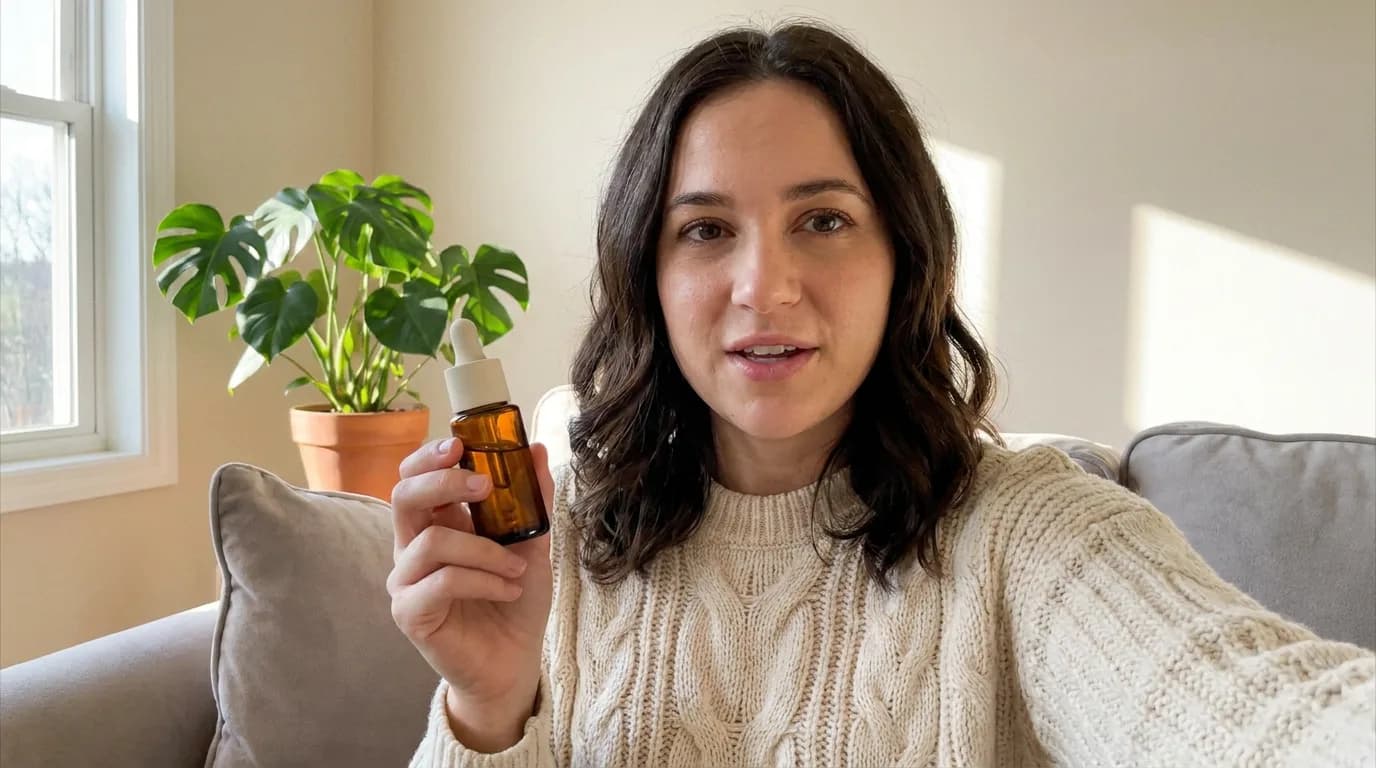
This is the part people skip, and it is the one that decides the result. A model given a blurry three-quarter phone snap of a bottle does not fail loudly — it quietly invents the side it cannot see, and that invented side is what ends up on screen for eight seconds. Give it a flat, evenly lit product shot with the label facing camera, and the same bottle survives the frame step, the video step and the edit after it.
The person matters the same way. Google's Veo documentation is blunt about it: choose clear, well-lit images that show the subject from the angle you want, and keep the lens and lighting language identical between shots. My rule of thumb after a few dozen of these: if the reference portrait and the intended scene disagree about where the light comes from, the face will drift somewhere in the middle and stop looking like the same person.
A single flat, evenly lit shot beats five casual snaps. Glare, motion blur and a hand covering half the label are all reconstructed as invention.
Keep the haircut, the wardrobe and the makeup consistent across reference photos. Mixed looks average into a face that matches neither.
A flash-lit portrait dropped into a soft-daylight kitchen scene reads as a composite. Pick the light in the reference that the ad will actually have.
Nano Banana Pro holds short label text; a dense ingredient list turns into texture. If the type matters, plan a close-up shot with real packaging instead.
References do not need to be composed like an ad. Composition is the job of the opening frame — that is the step where you argue with the model.
A 300-pixel crop pulled off a marketplace listing gives the model almost nothing to keep. Full-resolution originals, every time.
Both routes work: you can hand the video model your reference photos and let it compose the scene, or you can generate one still first and animate that. In practice the second is better, and the reason is mundane — a video model asked to invent the composition invents it every frame, while a model handed a still only has to continue it. On Gemini Omni Flash the gap is large enough that I stopped using references-only for product shots.
Two clips below, same prompt, same references, six seconds each, $0.60 apiece. The only difference is whether an approved still went in as the first frame. Nothing else was changed and neither clip was re-rolled.
References only
From an approved first frame
The honest version: references-only is not broken — the face held up fine, and for a scene without a product in hand it is often enough. If anything the light is nicer in that take: softer on her face, less window contrast, because the model was composing a room it liked instead of continuing ours. One caveat worth stating, since it changes the reading — our creator is generated, not a photograph of a real person, so the model had room to relight her. A real portrait pins the light and the skin much harder, and the references-only route has less freedom to flatter it. It is control you are buying here, not quality. On Veo 3.1 the choice is made for you: Google's API takes either a first frame or up to three reference images, never both in the same request, and reference images require the eight-second length.
Omni Flash is very good at the format UGC actually lives in: a person talking to the lens. Interviews, podcast-style pieces, a founder explaining a product, someone holding a jar and describing it — and it renders the mouth, the micro-movement and the room tone in one pass, which makes it the cheapest way to get a synced voice out of a video model. It is also the newer model of the two, and Google sells it on physics: the announcement talks about an intuitive grasp of gravity, kinetic energy and fluid dynamics, and the model card lists real-world physics simulation as an ability while naming complex motion as a known weak spot. Both halves of that are true in practice. Things fall, liquids pour, weight reads correctly — right up until the shot asks for a chain of precise actions with an object.
So the split is not talking heads versus motion; it is how much choreography a single take has to hold. The test below is the hard end of that scale, not a verdict on either model: same opening frame, same prompt, one model each — uncap the bottle, squeeze the pipette, two drops into the open palm, all in eight seconds.
Gemini Omni Flash · 8 s · $0.80
Veo 3.1 Fast · 8 s with audio · $1.00
Lip movement, room tone and speech arrive together, $0.10 per second. For a review, a testimonial or a two-person exchange it is the obvious pick.
One motion Omni handles; four in a row is where takes start dropping actions. Our comparison used Veo 3.1 Fast at $1.00 for eight seconds with audio, the full Veo 3.1 is $3.00 — generate both and keep the one that works.
Omni's safety filter is noticeably stricter about clothing: a fitness creator in a sports bra gets refused there far more often than on Veo 3.1, same prompt, same reference. Plan the wardrobe or plan the model.
Omni Flash is 3–10 seconds per clip, exactly as many as you pay for — 720p on the first generation, 360p to 4K on Omni 1.1, which can also extend a scene to 40 seconds. Veo 3.1 does 4, 6 or 8 seconds up to native 4K, and its clips can be extended past the first cut.
Every Omni clip has audio whether you asked or not. On Veo audio is a toggle — silent renders are cheaper, which matters when the voice is coming from elsewhere anyway.
A blocked generation is refunded automatically on both models. The expensive part of a refusal is the four minutes, not the dollar.
Omni Flash writes the speech into the same pass as the picture, and for conversational English it is usually fine. Brand names are where it wobbles — invented product names, foreign words, model numbers, anything a native speaker would have to be told how to say. The bigger version of this problem is languages other than English, and every video model has it: Russian-speaking reviewers testing Seedance 2.5 describe a line that starts acceptable and comes apart on the way — unstressed vowels reduced wrong, stress landing on the wrong syllable, and by the end of a fifteen-second scene an accent that is closer to a Slavic hybrid than to Russian, because Russian, Ukrainian and Belarusian sit close enough for the model to blend them. Some words come out clean, the next one gives the whole take away. If your script is not in English, listen to the whole thing before you sign it off.
The fix is to stop asking the video model for the voice and generate it separately. Gemini 3.1 Flash TTS (gemini-3.1-flash-tts-preview) runs on the same balance through our MCP server: $0.01 per 200 characters of script, 30 voices, one speaker or a two-person dialogue, 24 kHz WAV out. Direction is plain English — persona, pace, accent, and the phonetic spelling of any word you need said correctly. Then drop the track over the clip in any editor. Keep your rewritten line about as long as the original take and the mouth still roughly agrees; where it doesn't, cut to the product.
Generated voice-over · $0.01
Putting the ad together needs no editor either. ffmpeg joins takes end to end, trims the half-second where a hand does something strange, swaps the generated audio for your TTS track, drops in a crossfade and exports the 9:16 version — all from one command line, free, on any machine. The syntax is famously unfriendly, which is exactly why it pairs well with a model: describe the cut you want to Claude or any LLM, get the invocation back, run it. For a three-clip UGC spot that is the entire post-production stage, and it is the reason the numbers on this page stay at the generation cost instead of adding a subscription on top.
| Model | Price | Unit | Audio |
|---|---|---|---|
| Nano Banana Proreferences & first frame | $0.11 | 1K–2K image | — |
| Nano Banana 2drafts and variants | $0.03–$0.13 | 512px–4K image | — |
| Gemini Omni Flash$0.10 per second | $0.30–$1.00 | 3–10 s, 720p | always on |
| Veo 3.1 Fastwith audio | $0.50–$1.00 | 4–8 s, 720p/1080p | optional |
| Veo 3.1 Litecheapest video | $0.10–$0.36 | 4–8 s, 720p | optional |
| Gemini 3.1 Flash TTSMCP only | $0.01 | per 200 characters | voice only |
Veo prices are for 720p and 1080p; 4K costs more. Omni Flash bills $0.10 for every second of output, so the clip length is the price. Full tables on the pricing page.
Every model and resolution is listed on the full pricing page, and the Gemini Omni Flash page covers what that model can and cannot do.
How first-frame animation works, what to write in the motion prompt, and where it falls apart.
Read the guideGetting a product to survive from reference photo to finished frame, with real prompts.
Read the guideHands-on with the preview API: what it supports, what it refuses, what each clip really costs.
Read the guideNo. The creator can be generated too — every person you see on this page came out of a text prompt and never existed. If you do use a real person's face, you need their permission: likeness rules apply to generated video the same way they apply to a photoshoot, and platform policies on synthetic likeness are stricter than most people assume.
Yes, as long as you keep the same reference photos and reuse the same opening frame. Regenerating the frame from the same references gets you close but not pixel-identical — the safest habit is to keep every approved first frame and animate it again rather than rebuild it.
On TikTok, yes: its advertising policy on edited media and AI-generated content requires either the AIGC label from Ads Manager or your own visible disclaimer on the creative. Meta applies its own AI labels automatically to ads it detects as generated. Both policies changed during 2026, so check the current version before a large flight rather than trusting a blog post — including this one.
Start with Gemini Omni Flash at $0.10 per second, audio included — for a person speaking to camera it is both the cheapest and the least fussy, and it is the newer model, with physics Google explicitly advertises. Do not read that as "Omni can't do motion": it pours, it drops, it carries weight. What it drops is long chains of precise handling in one take — on our four-action dropper test it lost the bottle while Veo 3.1 Fast kept it. So for a hook or a testimonial, Omni. For a shot built on choreography, generate it on both and keep the take that works; the failed one costs cents.
Yes, up to 10 seconds of it. Upload your clip and Omni Flash will edit it as video-to-video — change the lighting, the background, what the person is holding — while keeping the take. Longer sources get trimmed to the model's limit before generation.
The balance is refunded automatically, on both Omni Flash and Veo. Refusals cluster around clothing, minors and recognisable real people; the wardrobe rule from the model-choice section above is the one that saves the most retries.
Read the full answerYes — the same models are exposed over our MCP server, including the speech model, which has no web interface at all. Reference images and first frames can be passed as job IDs, public URLs or inline base64, so a whole UGC batch can be scripted from an agent.
Count takes, not clips. A 20–30 second spot is normally three or four clips cut together, and each one takes a couple of attempts before it is usable — a flat line reading, a hand doing something odd, a refusal. At $0.80 for eight seconds of Omni Flash that puts a finished ad in the low single digits; shooting the motion-heavy cuts on the full Veo 3.1 at $3.00 each moves it into the tens. The editing adds nothing: ffmpeg joins the takes, trims them and lays the voice-over on top from the command line, and an LLM can write those commands for you.
Sign up free with $0.20 on the balance, top up with crypto from $1 or a card from $20. First frame in about a minute, first clip in five.