No subscription · dollar prices · balance never expires
UGC ads, short series, AI influencers — rendered from $0.03. No subscription.
Make images, video and speech from one dollar balance that never expires, with no subscription. Video starts at $0.10; a 10-second talking clip with sound costs $1.00.
$0.20 welcome balance · crypto top-ups from $1 · card, PayPal or SEPA from $20
MCP serverbananabanana.pro/api/mcp
Micro-drama & short seriesWan 3.09:16 · 10 s · 720p · $1.00
UGC video adsGemini Omni 1.1 Flash9:16 · 10 s · 720p · $1.00
AI influencer & virtual modelGrok Imagine Video 1.59:16 · 6 s · 720p · $0.84
Models
Nano Banana 2 Lite
Nano Banana 2
Nano Banana Pro
Qwen Image 3.0 Pro
GPT Image 2.5 Flare
GPT Image 2.5 Sunburst
Veo 3.1 Lite
Veo 3.1 Fast
Veo 3.1
Gemini Omni 1.1 Flash
Gemini Omni Flash
Wan 3.0
Grok Imagine Video 1.5
Gemini 3.1 Flash TTS
Nano Banana 2 Lite
Nano Banana 2
Nano Banana Pro
Qwen Image 3.0 Pro
GPT Image 2.5 Flare
GPT Image 2.5 Sunburst
Veo 3.1 Lite
Veo 3.1 Fast
Veo 3.1
Gemini Omni 1.1 Flash
Gemini Omni Flash
Wan 3.0
Grok Imagine Video 1.5
Gemini 3.1 Flash TTS
Works with
Claude Code
Claude Desktop
claude.ai
Cursor
VS Code
Gemini CLI
Codex
n8n
Claude Code
Claude Desktop
claude.ai
Cursor
VS Code
Gemini CLI
Codex
n8n
01What people make here
Five kinds of work, with the cost of each.
See examples and generation costs for each type of project. Prices use current rates for the listed settings.
01UGC video ads
Street interviews and product-in-hand clips. Voice included.
Vertical 9:16 clips where a person talks to camera and holds your product. Gemini Omni 1.1 Flash is billed per second, with speech and street sound in the same render. A 360p draft costs about a third of the 720p price, and Extend takes a clip up to 40 seconds.
Give a scene up to 30 seconds in one pass with Wan 3.0, with sound at no extra cost. Try a 480p draft first, attach up to 10 references, or continue the story from a video input.
A feed influencer, a virtual model or a brand face, SFW. Attach up to 14 reference photos, get up to 8 frames per prompt, no visible watermark, and SMO for clean publishing.
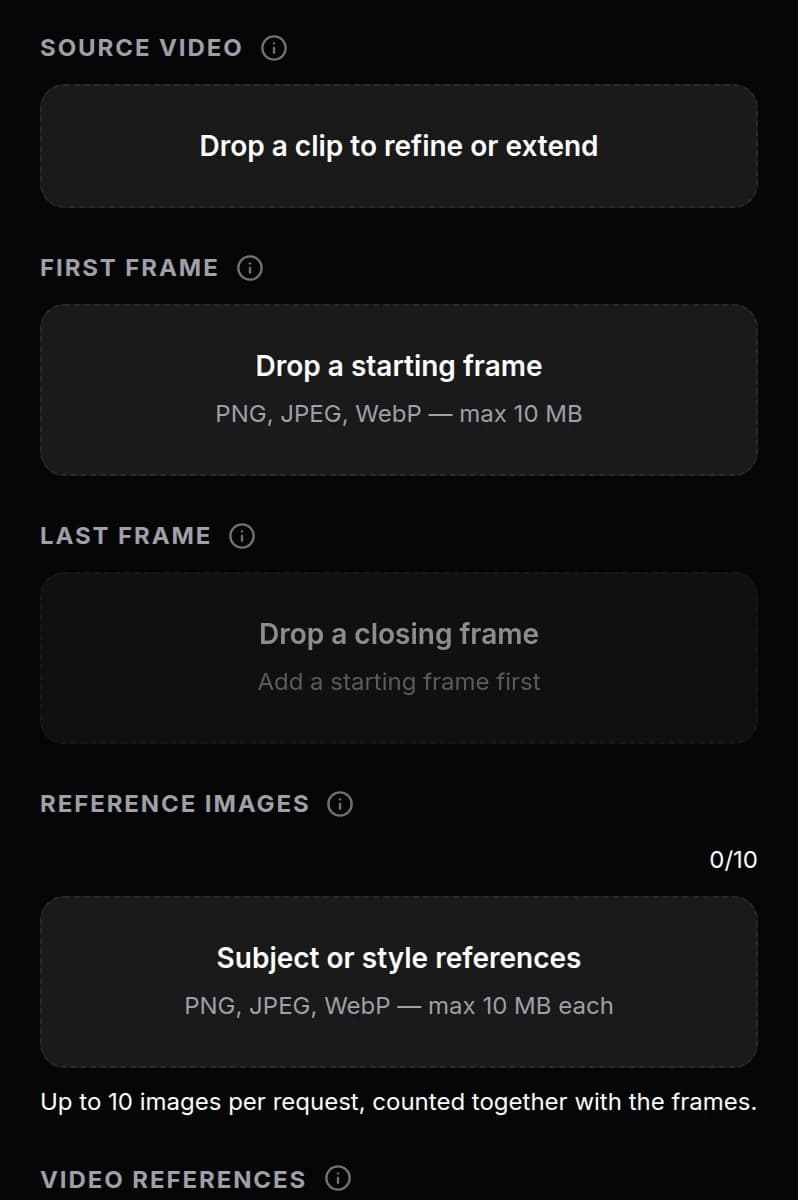
For stores and marketplaces. Upload the photo as the first frame and describe the camera move. Starting from your own photo is the most reliable way to keep the product's shape.
Generate B-roll with Wan 3.0 from an n8n flow or your own agent. Try 480p drafts, make takes up to 30 seconds, or continue from a video input. The edit and the channel stay with you.
Receipts show the generation cost at the listed settings. Another version or a model-based edit is a separate paid generation.
02.1UGC video ads
A street-interview ad made with Gemini Omni.
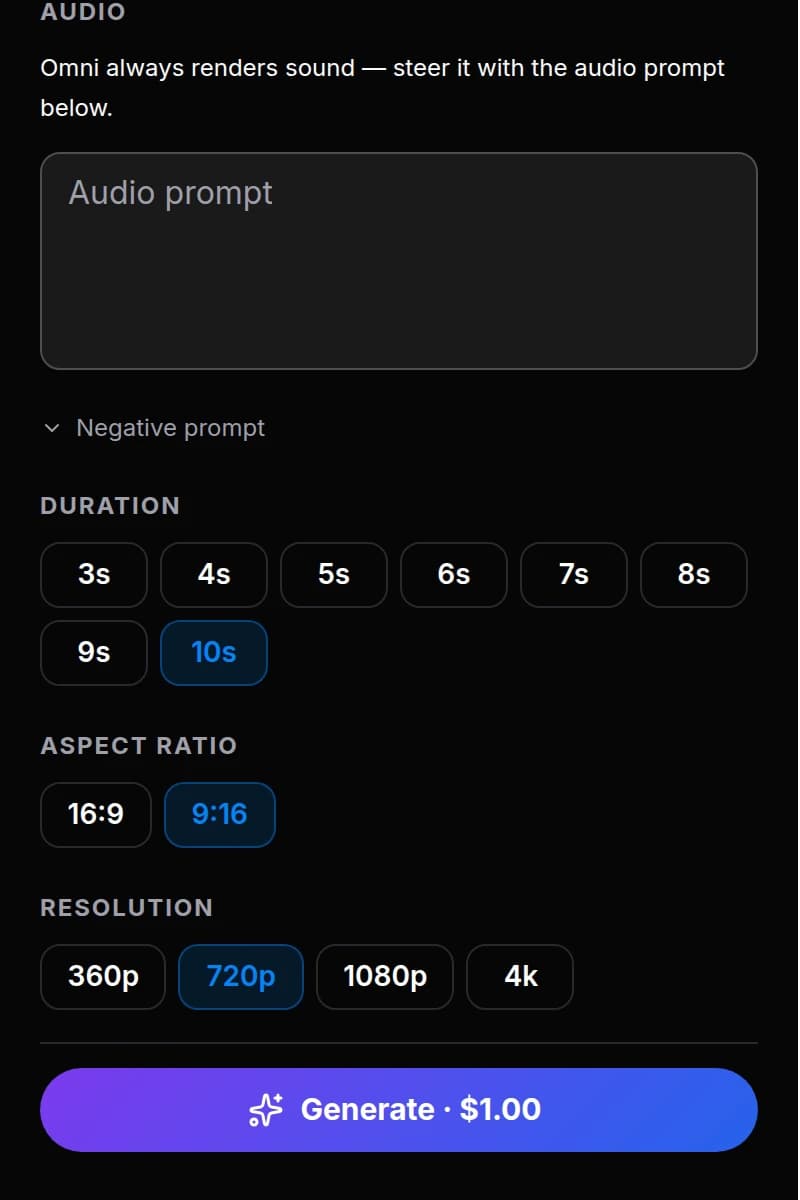
One text prompt, one render: picture, voice and street noise come in the same file at $0.10 per second. Set the exact length, and try a 360p draft for about a third of the 720p price before you pay for the final version.
Model
Gemini Omni 1.1 Flash
Format
9:16 · 10 s · 720p
This render
$1.00
Render time
2–5 min
Exact prompt
Gemini Omni 1.1 Flash · 9:16 · 10 s · 720p · $1.00
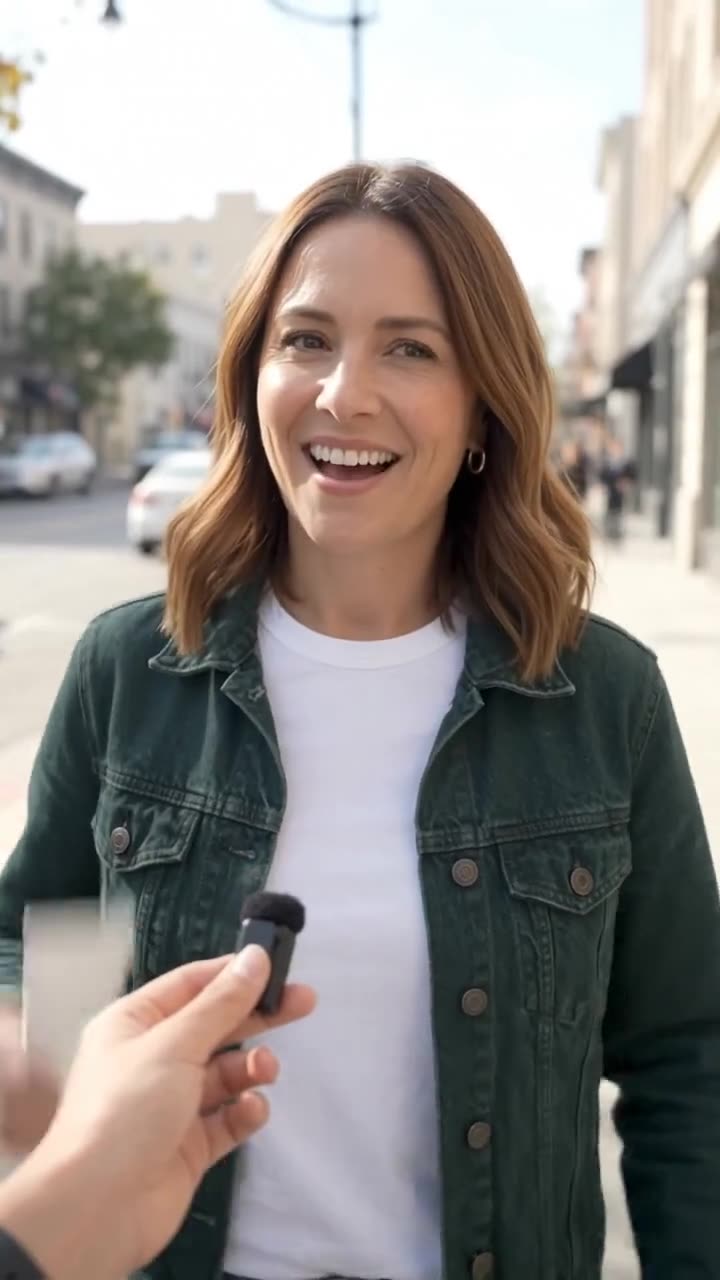
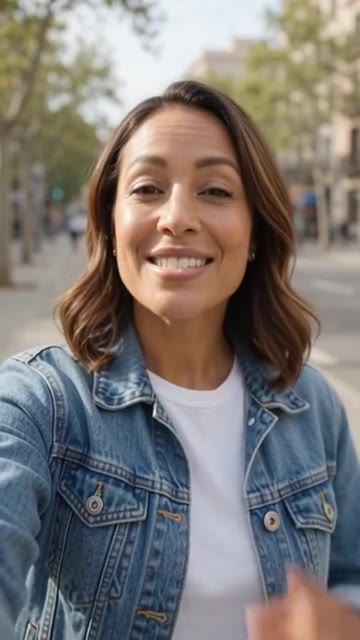
Vertical street interview, handheld phone footage. A friendly interviewer's hand holds a small microphone toward a woman in her thirties on a sunny city sidewalk. She holds up a plain white tube of hand cream with no label and says, smiling: "Honestly? I bought it because of the smell, and now I carry it everywhere." Natural street ambience, light traffic, shallow depth of field.
Write what happens, quote the line, get the take. This Wan 3.0 scene starts from a single frame. When a scene needs more room, Wan gives up to 30 seconds in one pass with sound at no extra cost, 480p drafts, and continuation from a video input.
Model
Wan 3.0
Format
9:16 · 10 s · 720p
This render
$1.00
Render time
2–5 min
Exact prompt
Wan 3.0 · 9:16 · 10 s · 720p · $1.00
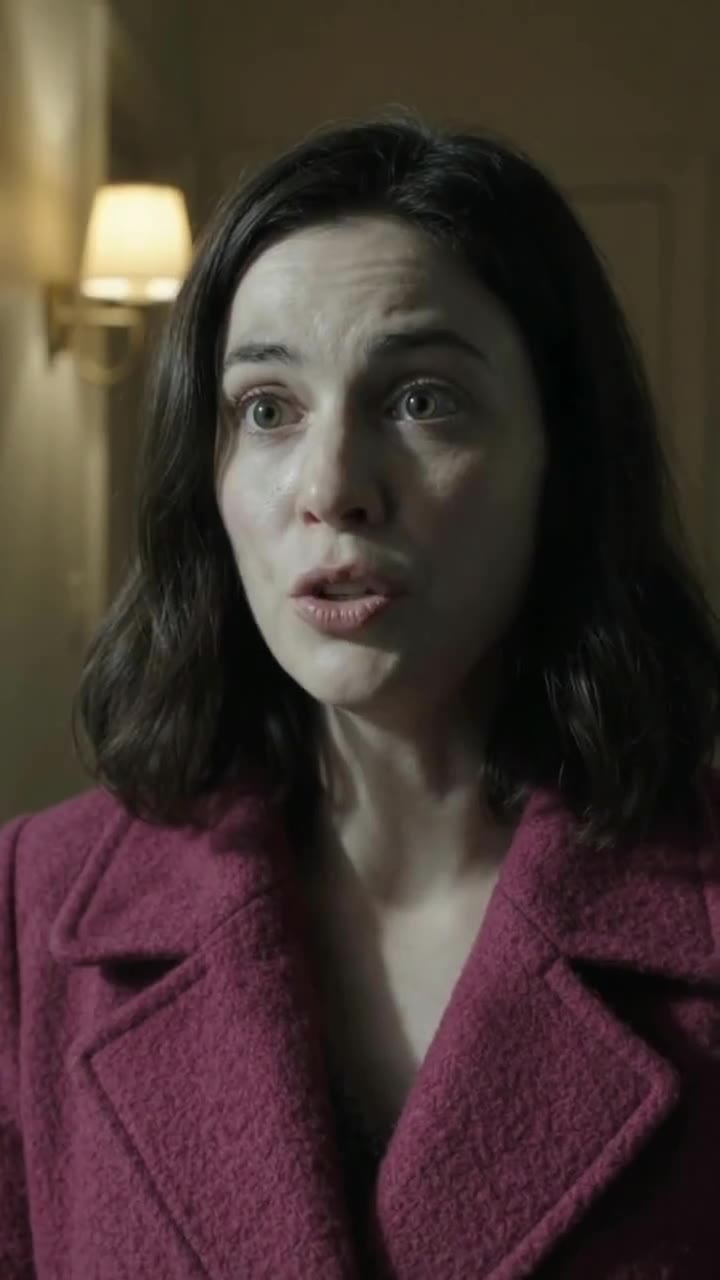
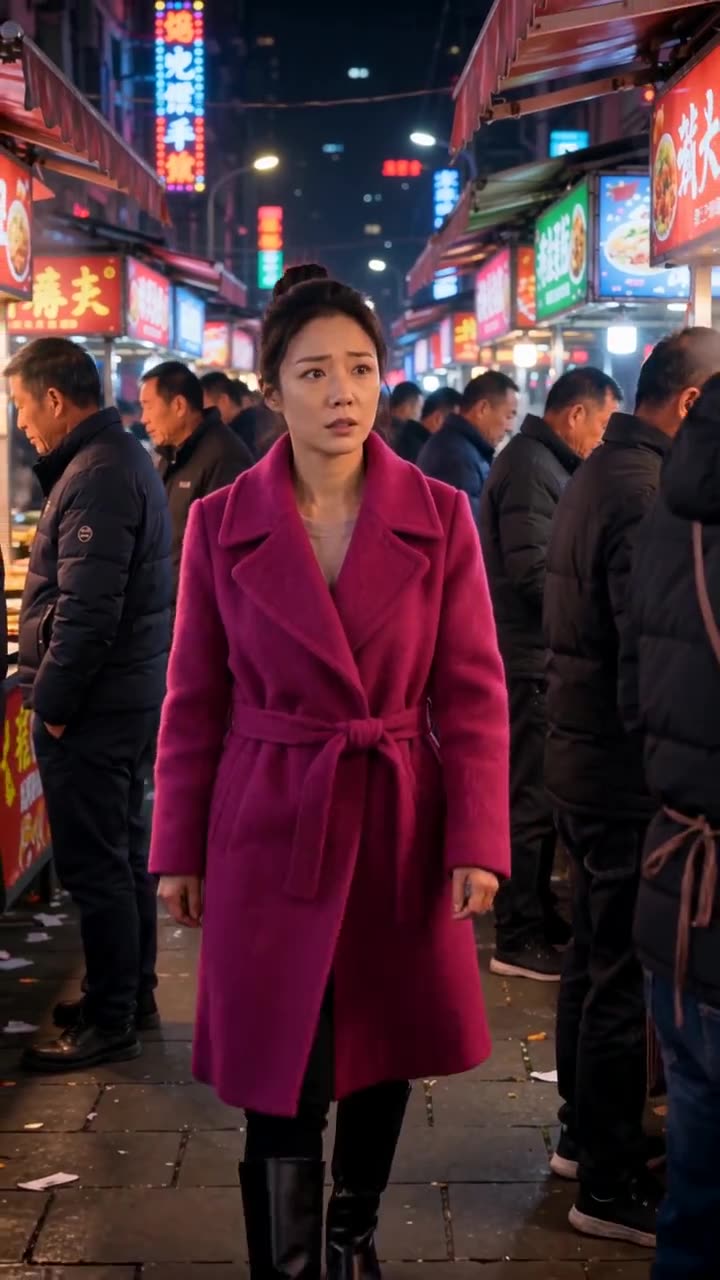
Locked-off vertical close-up. The woman in the magenta wool coat stands still in the dim windowless apartment hallway, the warm wall lamp is already on and stays at constant brightness. She holds the small folded paper note in both hands at chest height, reads it for two seconds, slowly lowers her hands to her waist, looks up past the camera, startled, and whispers clearly: "He knew." She holds the look, breathing quietly. Nothing in the background moves or changes: the lamp, the plain wall and the closed door stay exactly as they are. Quiet room tone, faint distant thunder. No text visible on the note, no other people, no camera movement.
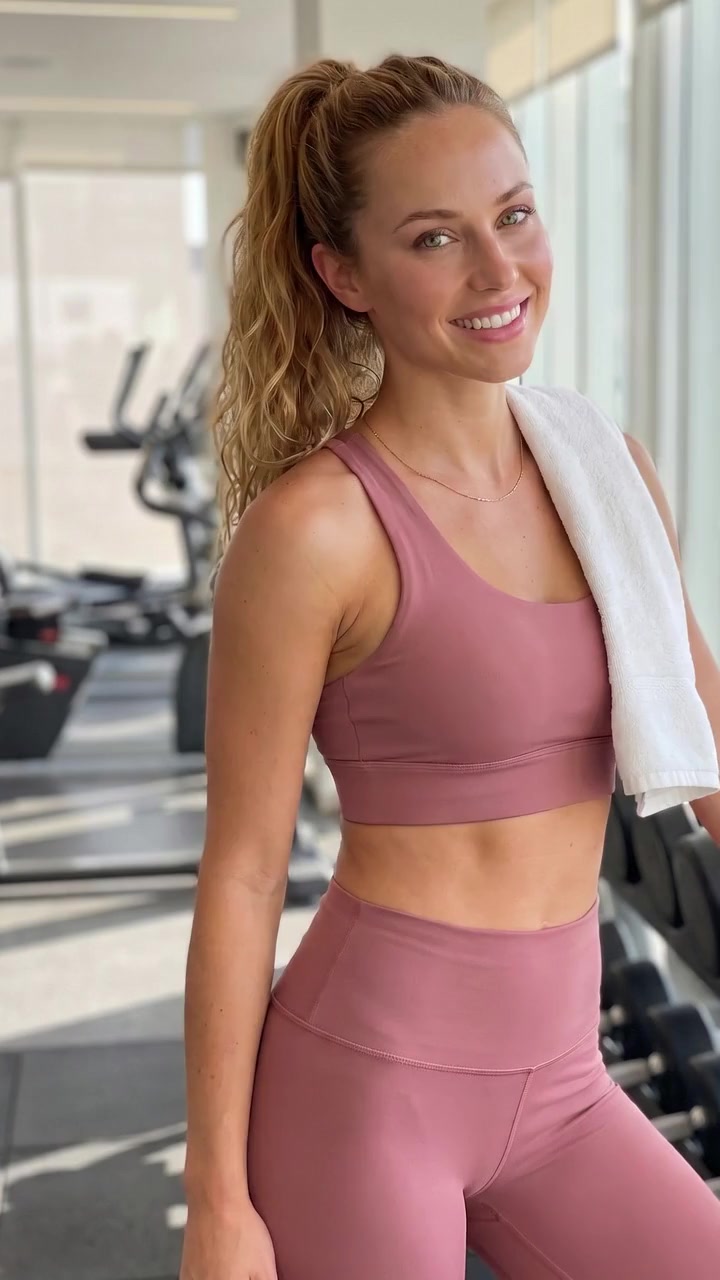
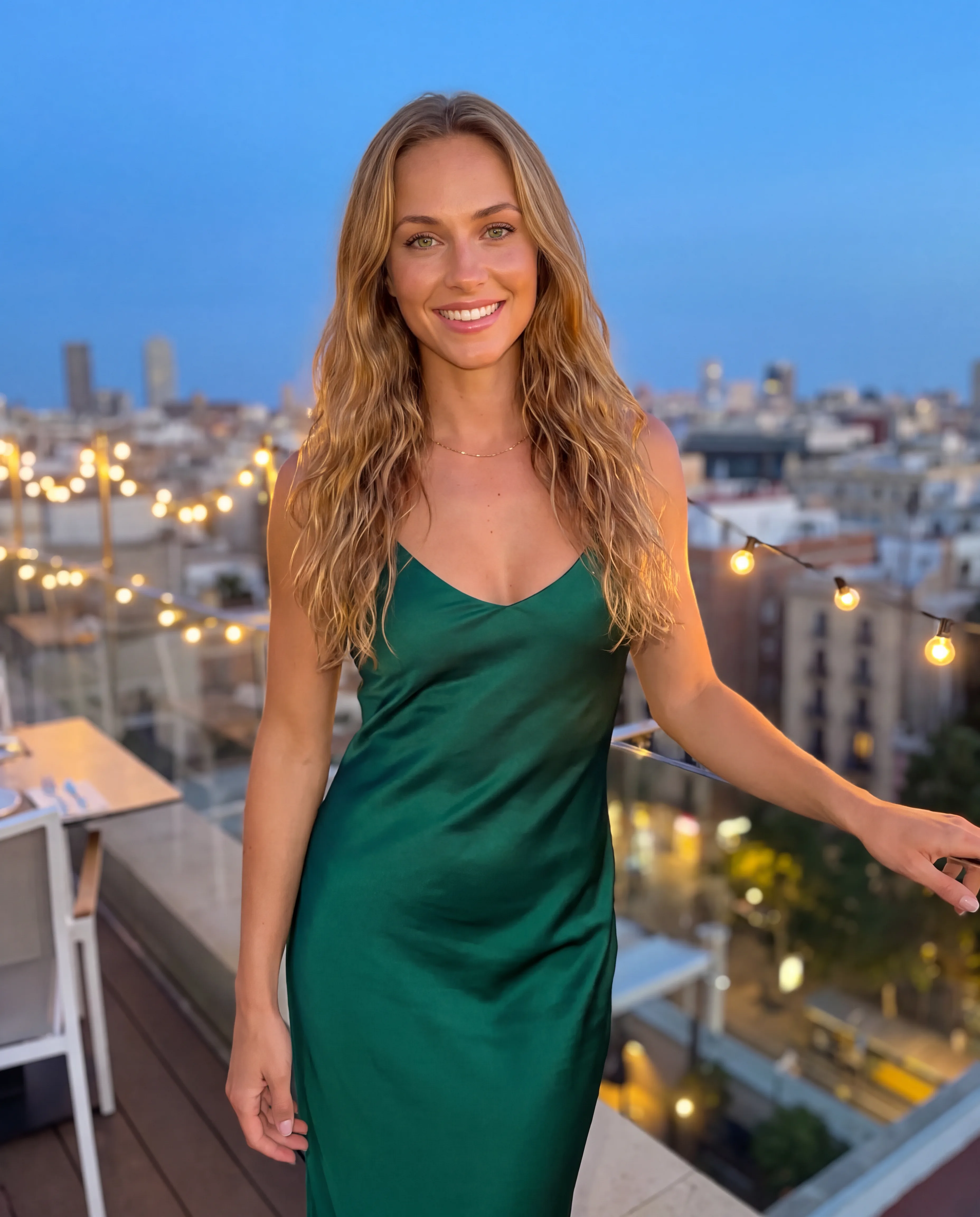
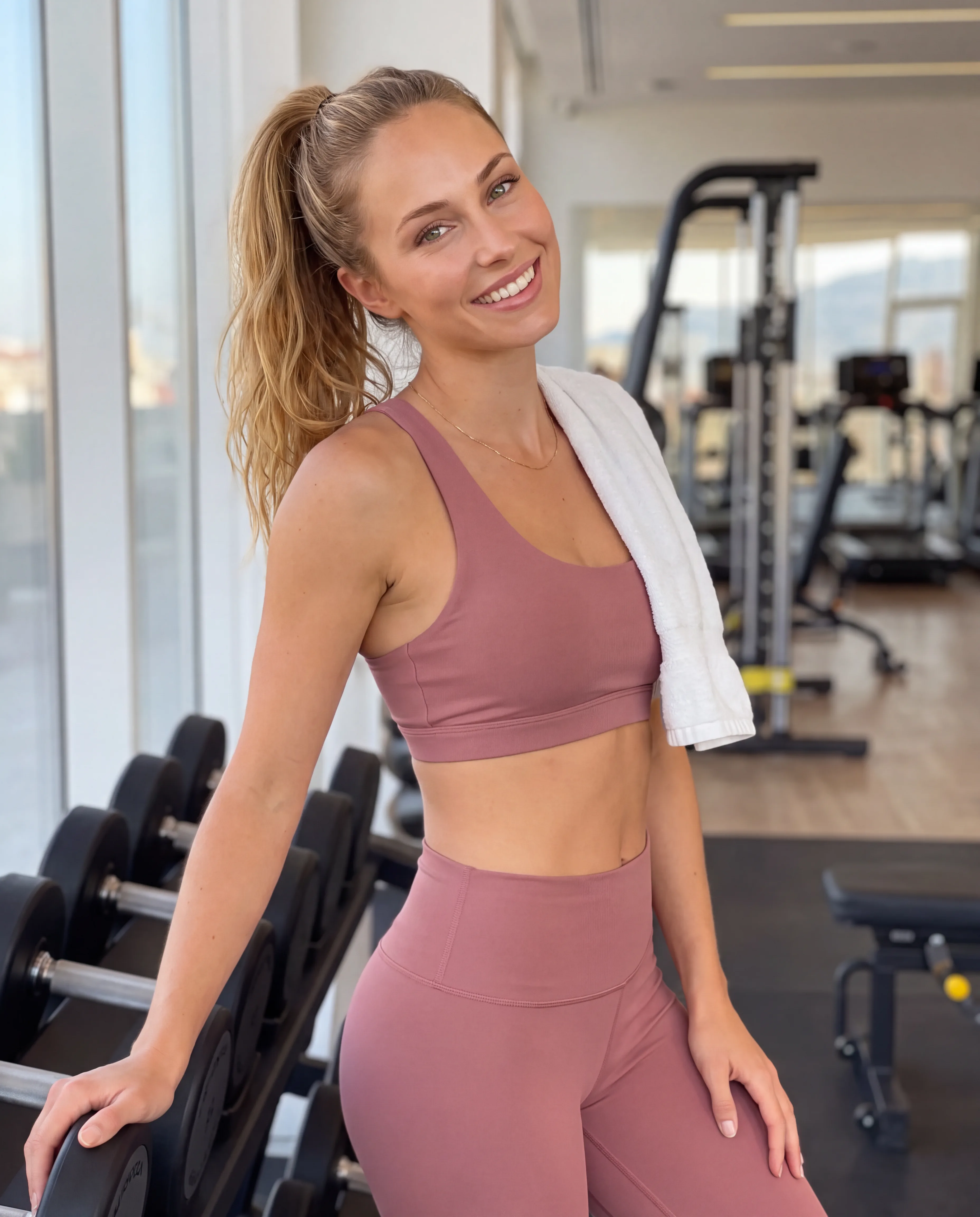
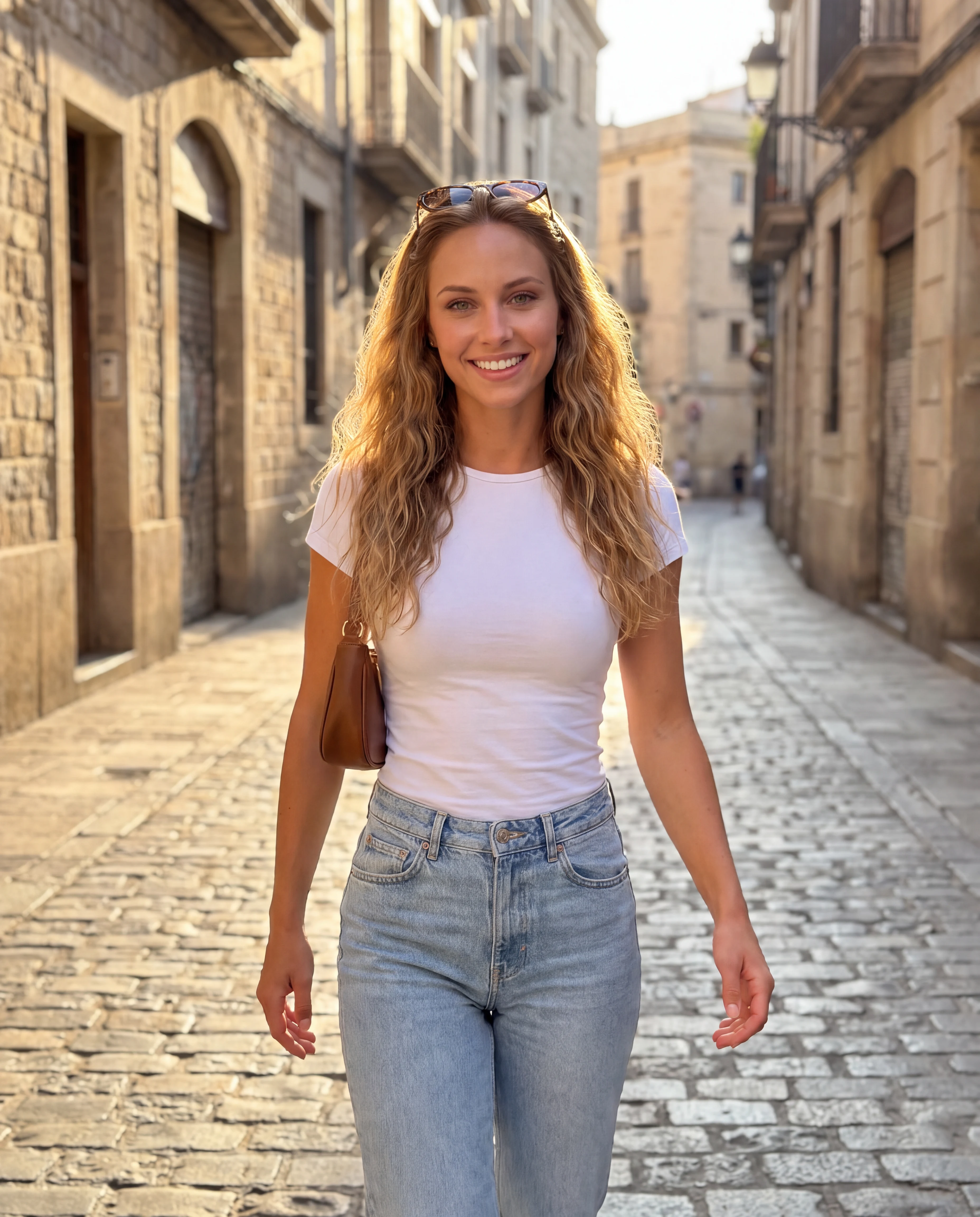
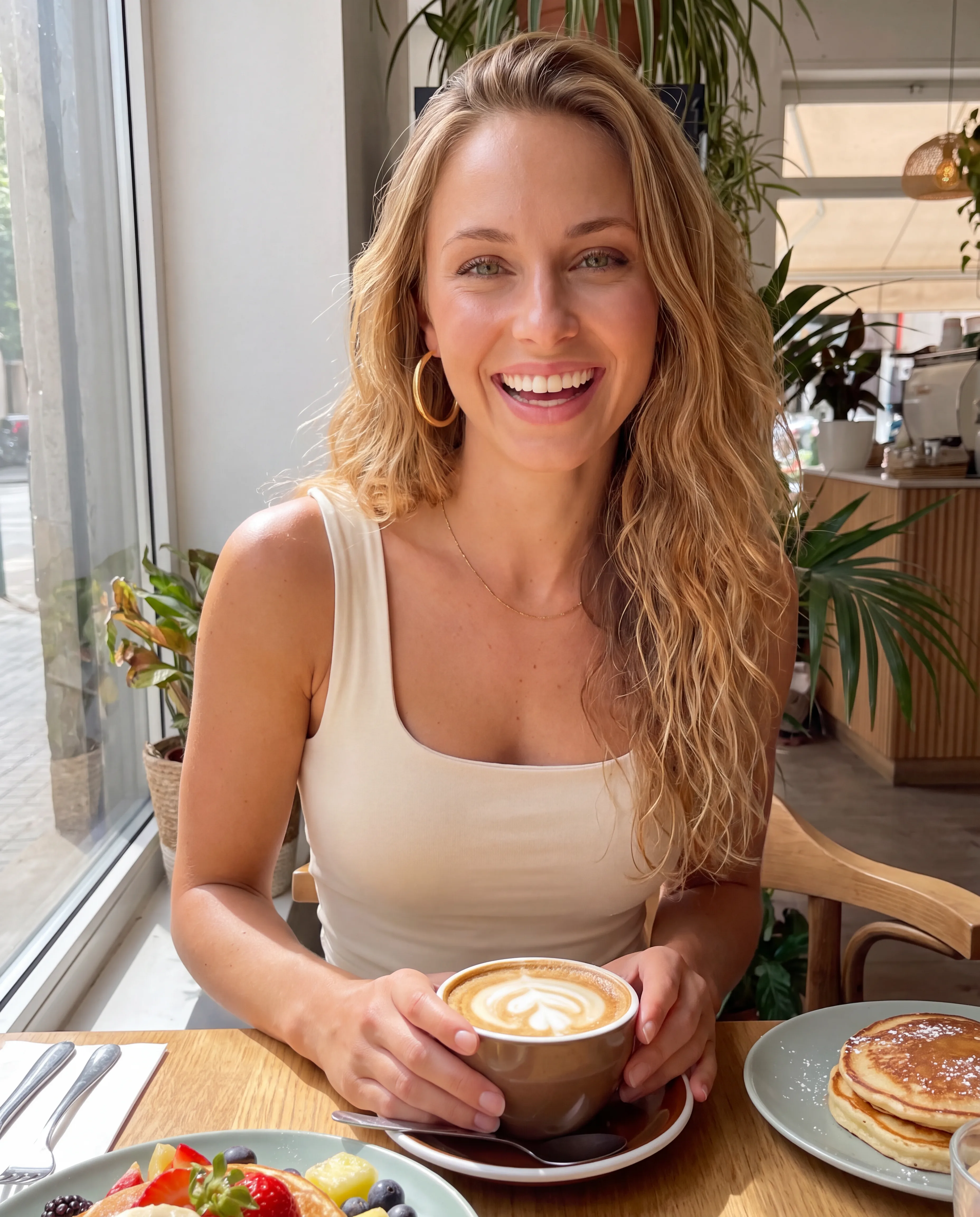
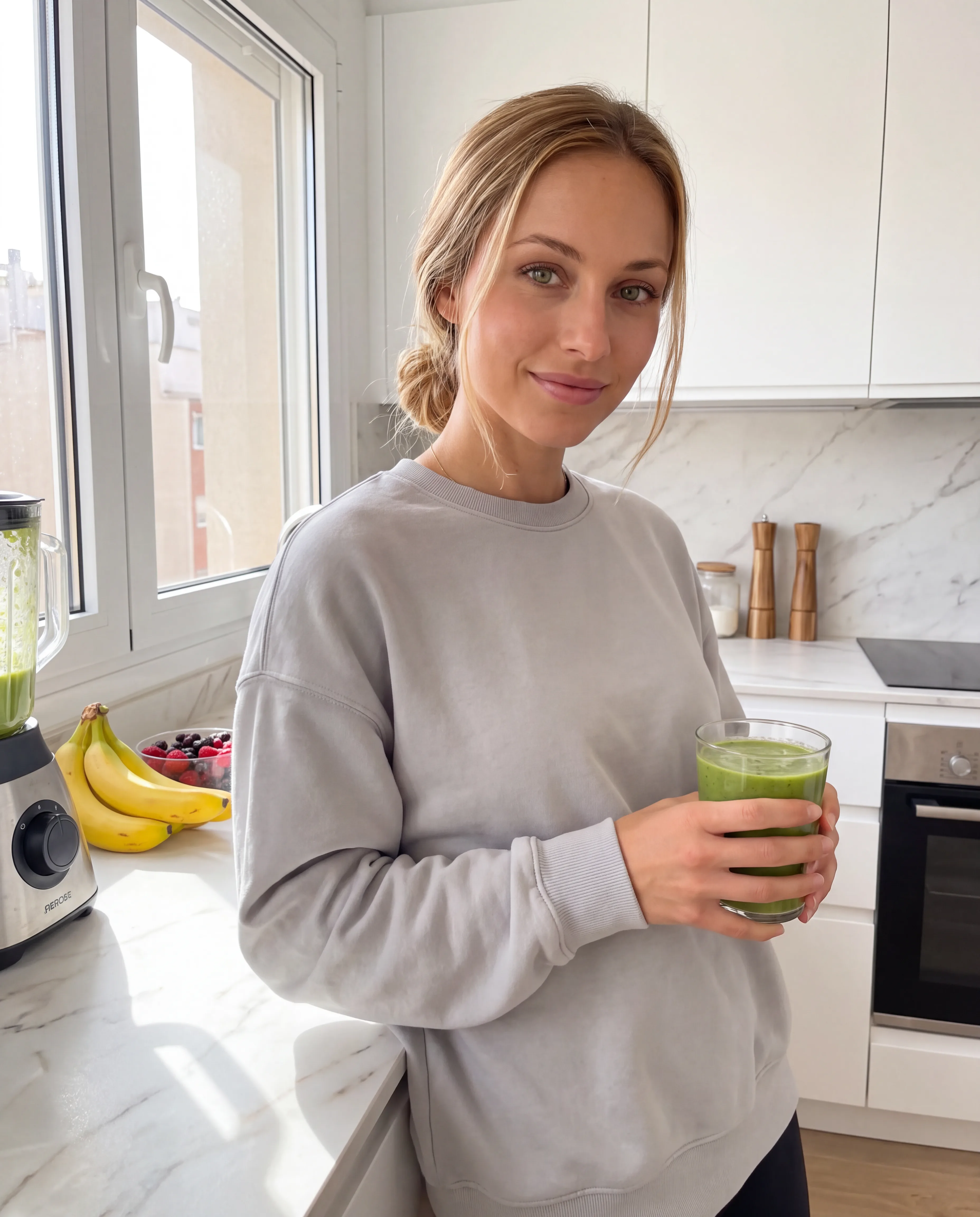
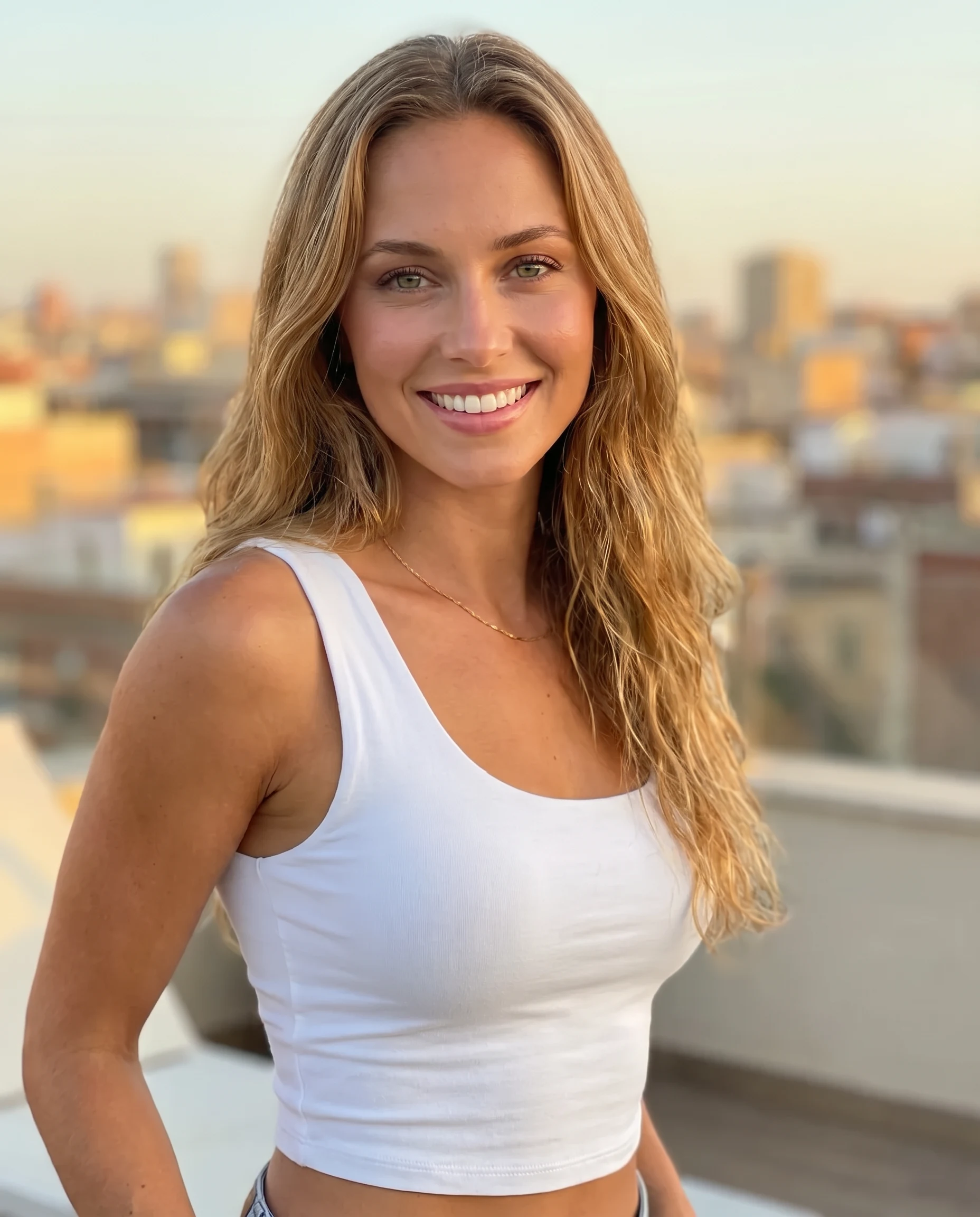
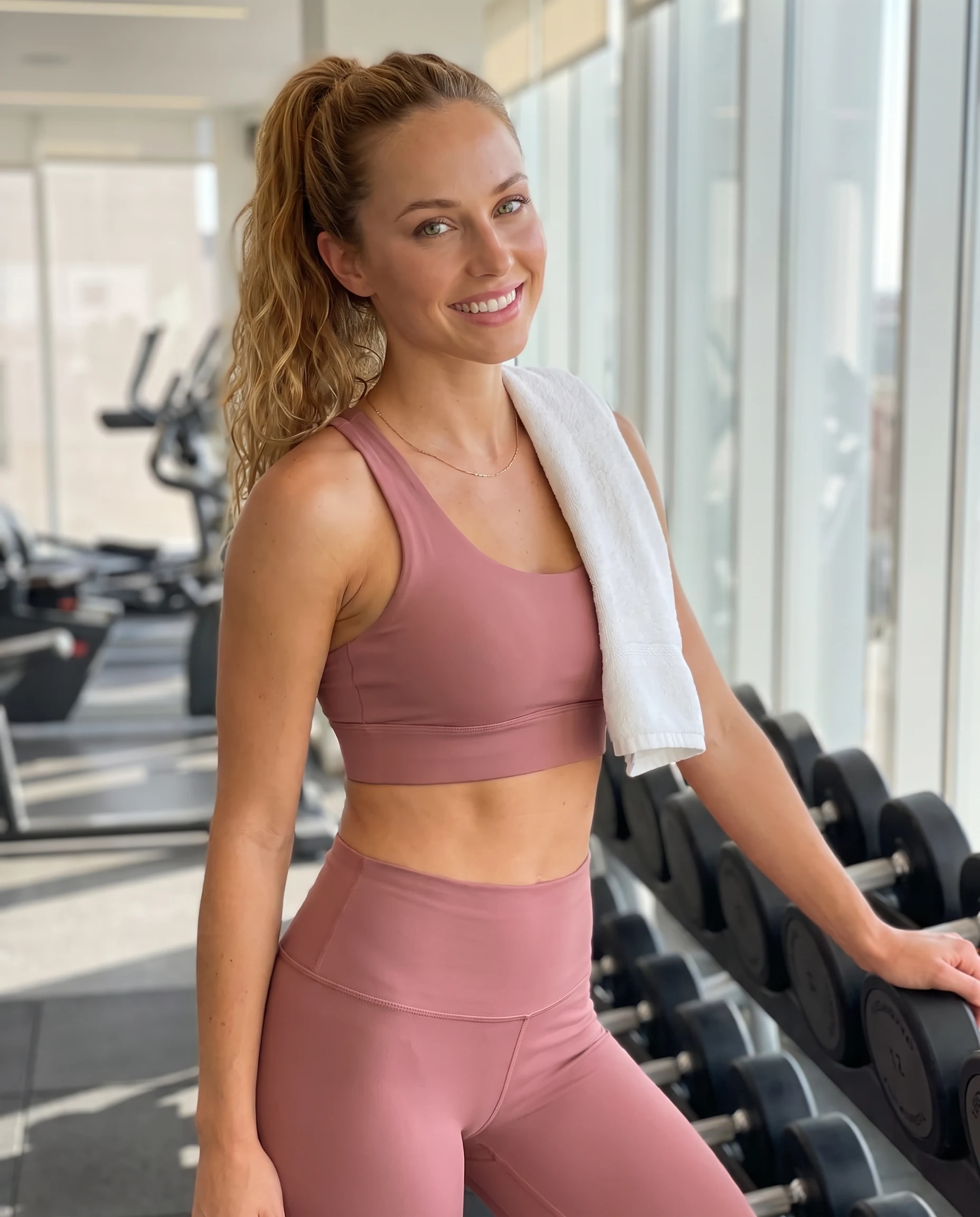
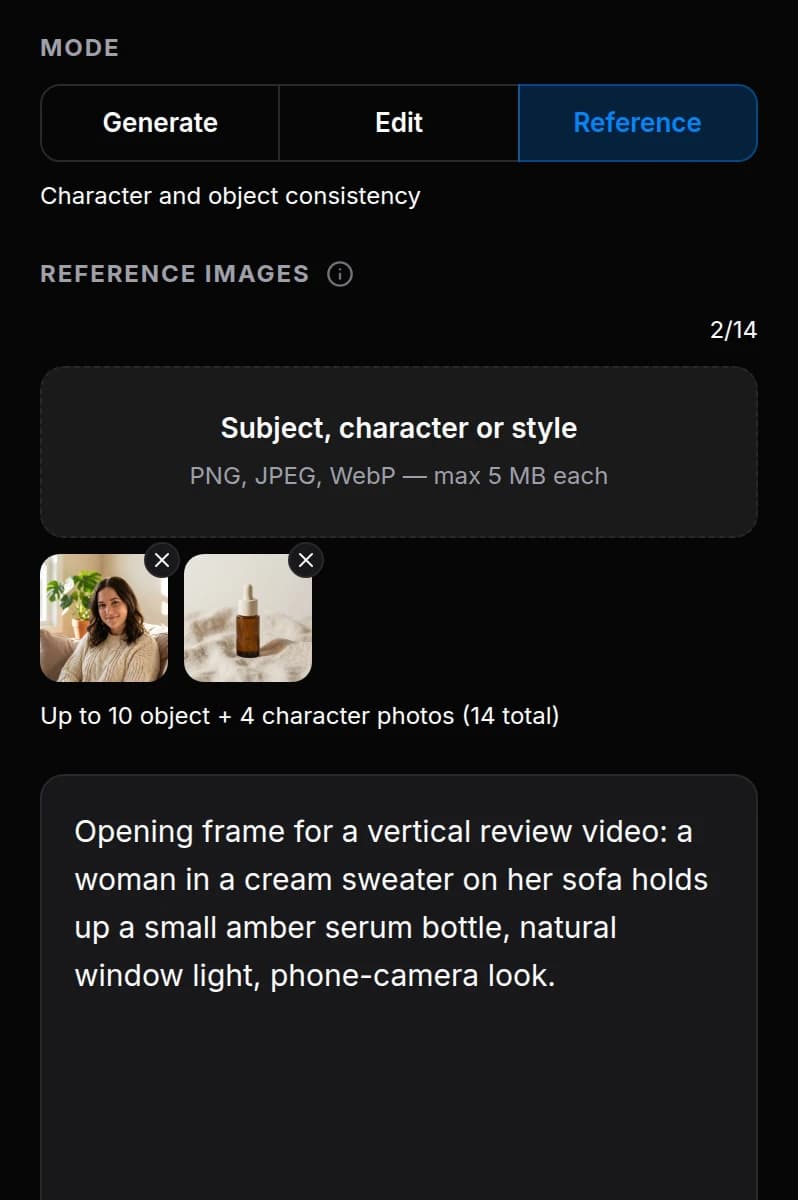
These three frames are one character: a reference portrait, a new scene built from it, and a talking clip that starts from that scene as its first frame — Grok Imagine Video 1.5, 720p. Up to 14 references per generation, up to 8 frames per prompt. SFW feed content only.
Exact prompt
Nano Banana Pro · 4:5 · 2K · $0.11
The same woman as in the reference image, identical face, green eyes and long wavy honey-blonde hair now tied in a high ponytail, an adult of 24, athletic hourglass figure: fitness influencer photo in a bright modern gym. She wears a matching dusty-rose sports set — a supportive sports top and high-waisted leggings made of smooth matte solid-colour fabric with no ribs, no stripes, no mesh and no knit texture — standing relaxed next to a rack of dumbbells, a plain smooth white towel over one shoulder, friendly confident smile at the camera, morning light from large windows. Three-quarter framing, natural phone-camera look, tasteful, no text.
Every file below was generated on BananaBanana. Where the prompt was saved, open the example to read it.
Prices use current rates for each file's model and settings. Some previews are shortened or looped; the listed settings describe the full generation.
Street interview, product in hand
Gemini Omni 1.1 Flash 9:16 · 10 s · 720p · sound
$1.00
Exact prompt
Gemini Omni 1.1 Flash · 9:16 · 10 s · 720p · sound · $1.00
Vertical street interview, handheld phone footage. A friendly interviewer's hand holds a small microphone toward a woman in her thirties on a sunny city sidewalk. She holds up a plain white tube of hand cream with no label and says, smiling: "Honestly? I bought it because of the smell, and now I carry it everywhere." Natural street ambience, light traffic, shallow depth of field.
Street interview #2: different person, different product
Gemini Omni 1.1 Flash 9:16 · 10 s · 720p · sound
$1.00
Exact prompt
Gemini Omni 1.1 Flash · 9:16 · 10 s · 720p · sound · $1.00
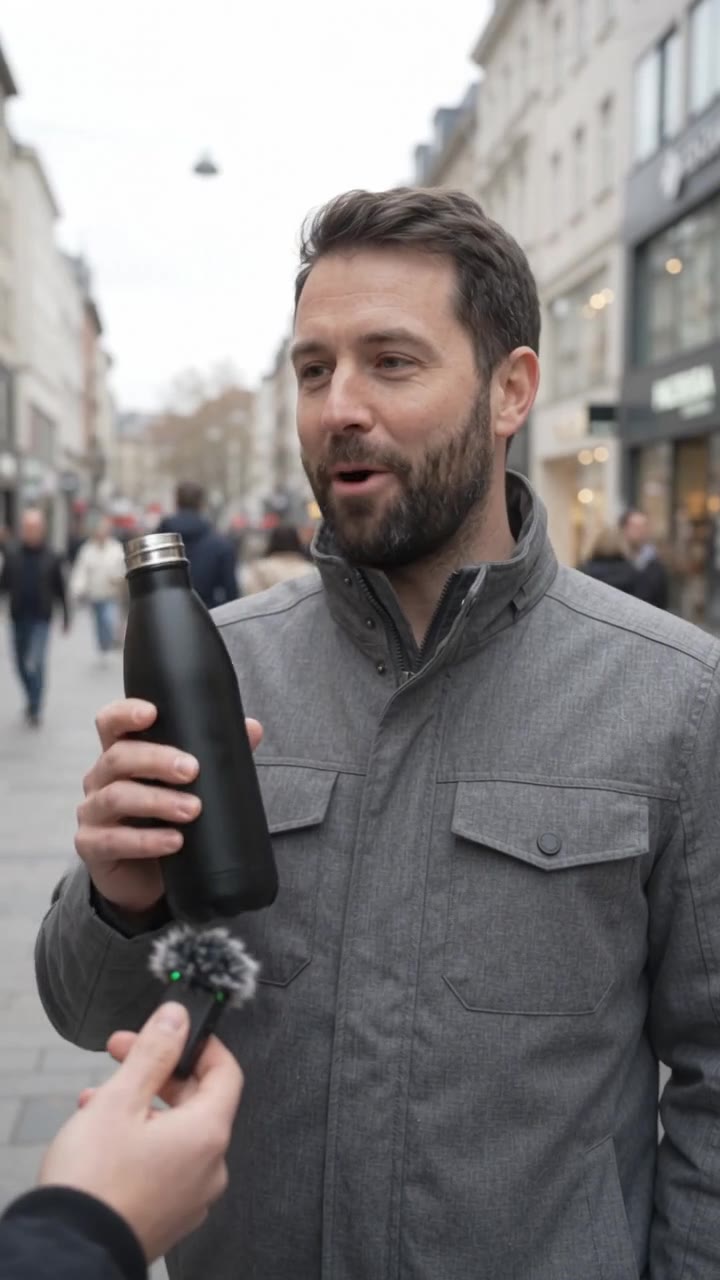
Vertical street interview, handheld phone footage. A friendly interviewer's hand holds a small microphone toward a man in his thirties with a short beard on a busy pedestrian street on an overcast afternoon. He holds up a plain matte black reusable water bottle with no logo and says, laughing: "My wife bought it for me as a joke. Now I refill it four times a day." Natural street ambience, passing footsteps, shallow depth of field.
Selfie review: product next to the face, one clear line
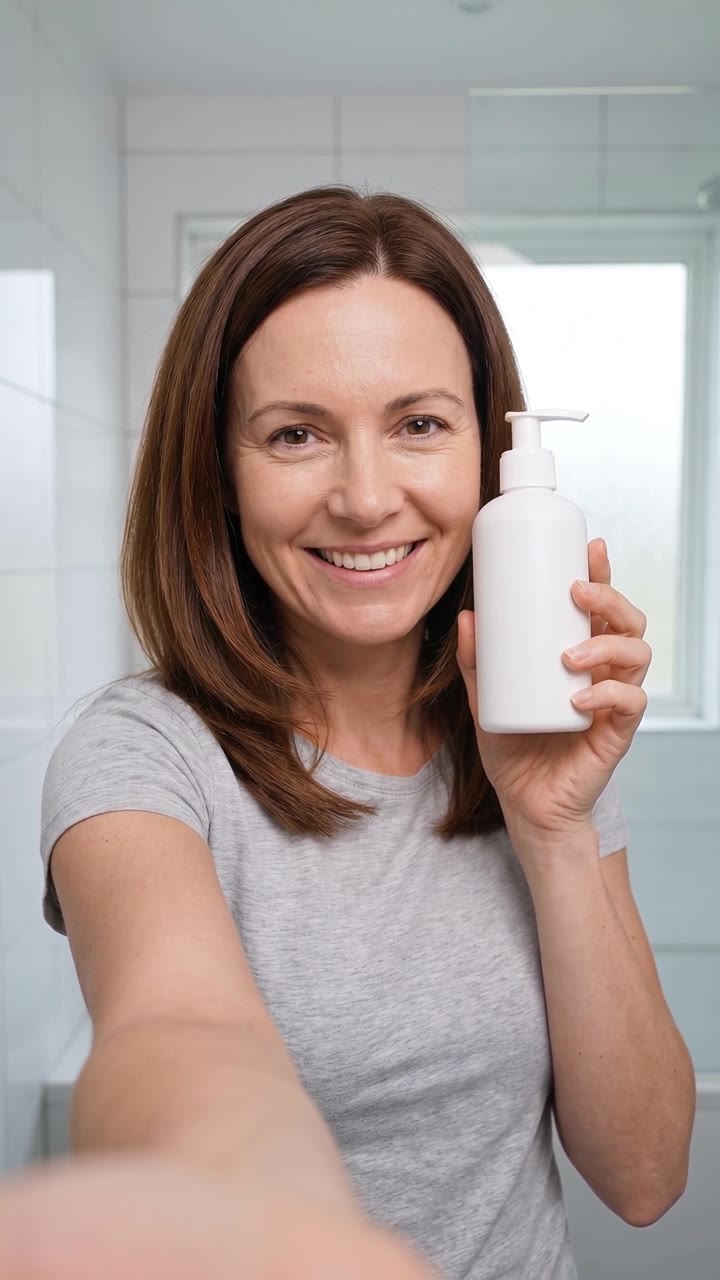
Wan 3.0 9:16 · 8 s · 720p · sound
$0.80
Exact prompt
Wan 3.0 · 9:16 · 8 s · 720p · sound · $0.80
Vertical selfie-style UGC review, handheld phone front-camera look, starting exactly from the first frame. The woman in the bright bathroom keeps holding the plain white pump bottle with no label next to her face with one hand, keeps it still and upright, and says to the camera clearly, with a warm smile: "I was skeptical, but two pumps in the morning and my skin stays soft all day." She says this one sentence only once, finishing by the sixth second, then stops talking, closes her lips and keeps smiling at the camera in the same pose as the first frame until the end of the shot. Her appearance, age, hair and grey t-shirt stay exactly as in the first frame. Only slight natural handheld sway, framing unchanged, the bottle keeps the same shape, her fingers stay natural. Natural room tone, soft daylight, shallow depth of field. No music. No text on screen.
Desk unboxing with a spoken reaction
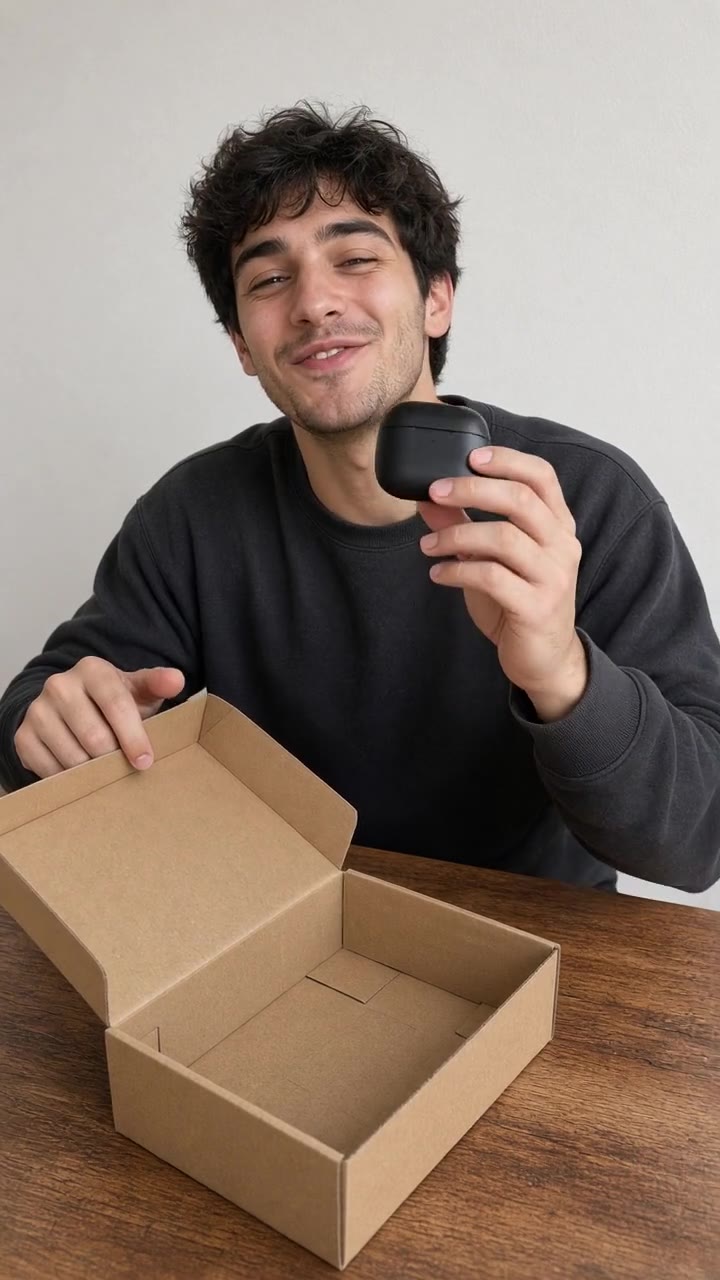
Grok Imagine Video 1.5 9:16 · 6 s · 720p · sound
$0.84
Exact prompt
Grok Imagine Video 1.5 · 9:16 · 6 s · 720p · sound · $0.84
Vertical UGC unboxing, phone camera on a small desk tripod, slightly high angle. A man in his twenties sits at a wooden desk, lifts the lid off a plain kraft cardboard box, takes out a matte black wireless earbuds case with no logo, holds it up to the camera and says happily: "Okay, this feels way more expensive than it was." Natural room sound, soft cardboard rustle. Both hands move naturally. Plain wall behind him, nothing in the background moves. No text, no logos.
Prices use current rates for each file's model and settings. Some previews are shortened or looped; the listed settings describe the full generation.
04How a clip gets made
Prompt References Frame Clip Extend.
Here's one way to make a clip in the web studio. Reference inputs and extension options depend on the model.
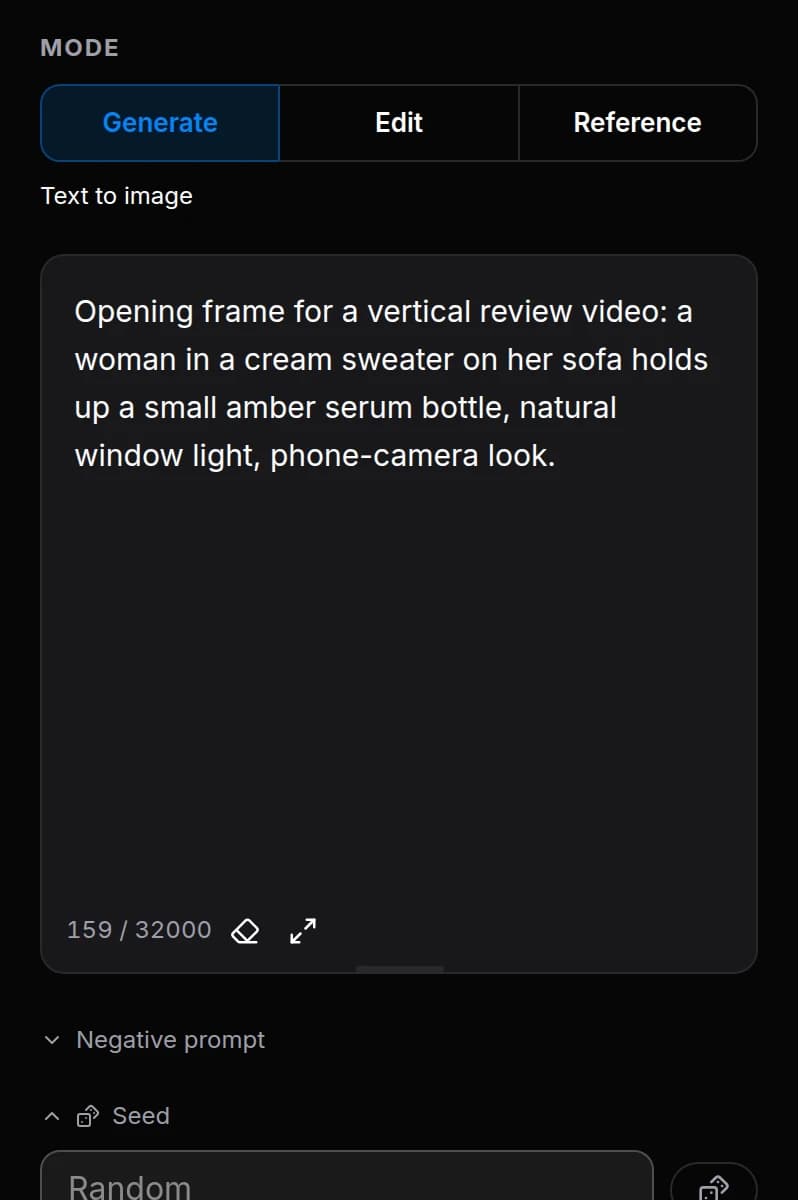
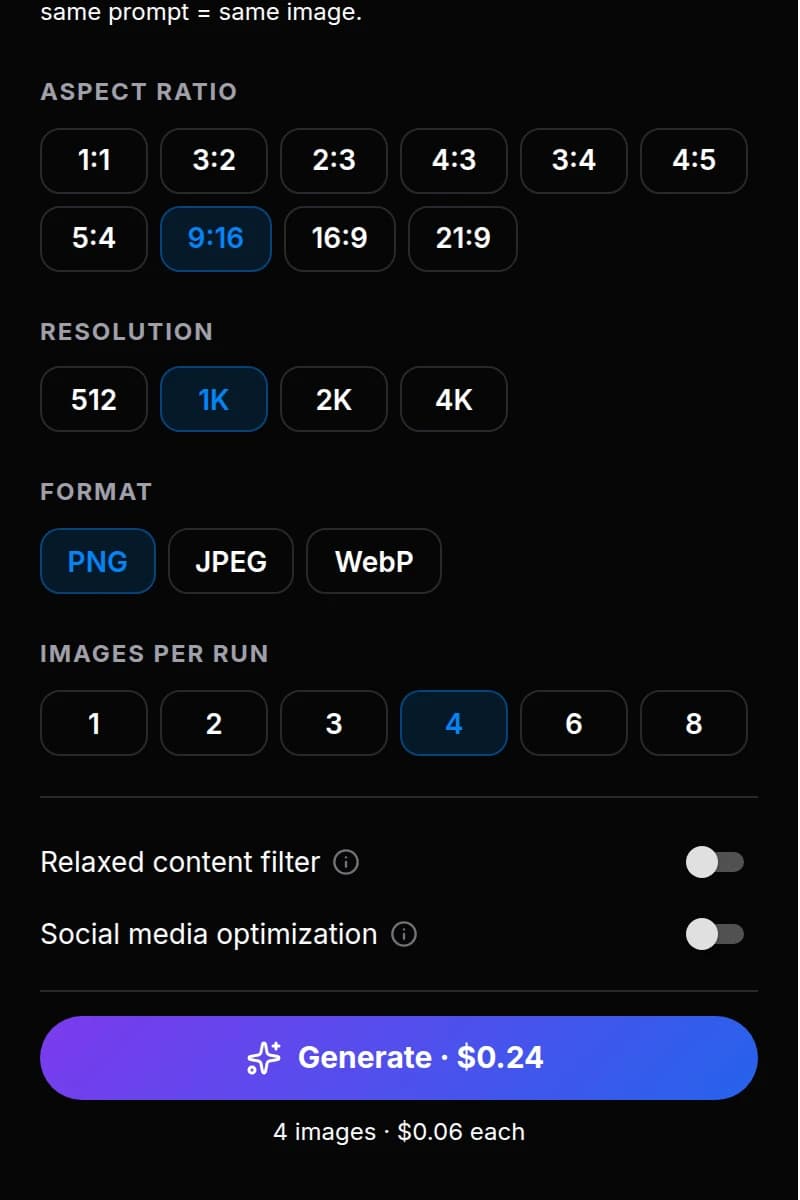
Describe the shot and quote the line you want spoken. The panel shows the price of this exact run before you press Generate.
2
References
Attach up to 14 photos of your character or product. The model keeps the face, the packaging and the style across scenes.
3
Frame
Generate the opening frame first, up to 8 variants per prompt, and approve the one you like. Check the still before you turn it into a video.
4
Clip
Animate the approved frame. Choose the model, length, resolution and whether you need sound — each choice changes the price in front of you.
5
Extend
Continue the clip with a new prompt: up to 40 s on Omni 1.1, up to 148 s as a Veo 3.1 chain, or take 30 s in a single Wan 3.0 pass.
05MCP · use BananaBanana through your agent
The full generator, through your agent.
Connect Claude Code, Cursor, Gemini CLI or an n8n workflow to BananaBanana through MCP. Your agent gets the same models and settings as the web studio.
One endpoint for these jobs, and any other you build
your agent / skill / n8n flow
UGC video ads
Micro-drama & short series
AI influencer & virtual model
Product photo → product video
Faceless channels & automated shorts
Anything else you build
generate_image
from $0.03
generate_video
from $0.09
generate_speech
from $0.01
get_account
balance & spend cap
Remote MCP server
https://bananabanana.pro/api/mcp
# Claude Code — OAuth, no key to paste
claude mcp add --transport http bananabanana https://bananabanana.pro/api/mcp
Approve access with OAuth, or create an API key in your profile and set a daily spend cap for it.
All the generation tools. Generate or edit images and video, and create speech. Use reference images, first and last frames, Wan reference videos and Omni Extend up to 40 seconds. Batch images, seeds and negative prompts work where the model supports them.
Let your agent assemble the clip. Your agent can generate frames, video and a Gemini 3.1 Flash TTS voice-over here, then use ffmpeg on your machine to cut the video and add the audio. BananaBanana handles generation; your agent handles the local edit.
Same prices as the web app. Your balance never expires, and every call costs what it costs in the web studio.
You want to make content without another subscription.
You work in bursts. Your balance waits and never expires.
You want to pay with crypto, or let an agent pay per call through x402.
You want an agent to handle the repeated generation steps.
You have reference photos for an SFW virtual model or a product.
You test ad ideas on cheap drafts before paying for the final clip.
Your agent's part · over MCP
Generate here. Assemble on your machine.
Your own pipeline. Your agent gets frames, clips and voice from BananaBanana over MCP, then cuts, adds sound and subtitles, and exports with ffmpeg on your machine.
A generated voice-over. Create speech with Gemini 3.1 Flash TTS, through MCP or in the web studio.
Audio laid over the video. Your agent lays the voice-over over your clips with ffmpeg on your machine.
You pay for generation and nothing on top. Templates, avatars, posting and scheduling are not built in: keep them as your own prompts and skills.
A pixel-perfect face or product label on the first try. Reference images and a first frame help, but you may still need another try.
Views, sales or income.
A done-for-you agency. You still decide what to make and what to publish.
No analytics. Not in the app and not over MCP — views and sales live in your ad and social dashboards.
Publishing responsibly
What's on you
Disclose AI where required
FTC endorsement rules and the EU AI Act cover AI-made ads and realistic synthetic people. Labelling is on you — and never present a generated person as a real customer.
What we do
SynthID stays in the file
Google's invisible SynthID mark is kept wherever Google models embed it.
What we do
Clean publishing
No visible watermark, and SMO prepares the file for social platforms.
What we do
Commercial use
Use what you generate in ads, stores and channels, within the model providers' terms.
What's on you
No cloning of real people
Do not recreate a real person's face or voice without their consent.
08Pricing
Dollar prices. Most Google models below Google's list price.
Wan, Grok and GPT Image are at their makers' list prices. Pay as you go for images, video and speech from a US-dollar balance that never expires, with no subscription.
Images
Price per image by resolution tier. 4K means up to 3840–4096 px on the long side, depending on the model and aspect ratio.
Google
Google: price per image by resolution
Resolution
Nano Banana 2 Lite
Nano Banana 2
Nano Banana Pro
512px
—
$0.03
—
1K
$0.03
$0.06
$0.11
2K
—
$0.09
$0.11
4K
—
$0.13
$0.20
Alibaba
Alibaba: price per image by resolution
Resolution
Qwen Image 3.0 Pro
1K
$0.04
2K
$0.08
OpenAI
OpenAI: price per image by resolution
Resolution
GPT Image 2.5 Flare
GPT Image 2.5 Sunburst
1K
$0.05
$0.05
2K
$0.11
$0.11
4K
$0.18
$0.18
Video
Every table has the same columns: the per-second rate, then the shortest and the longest clip at that resolution.
Gemini Omni 1.1 Flash
Sound is always included.
Clip length, seconds: 3–10.
Gemini Omni 1.1 Flash: price per second and per clip by resolution
Resolution
Per sec
3 s
10 s
360p
$0.03
$0.09
$0.30
720p
$0.10
$0.30
$1.00
1080p
$0.15
$0.45
$1.50
4K
$0.30
$0.90
$3.00
Gemini Omni Flash 1.0
Sound is always included.
Clip length, seconds: 4, 6, 8, 10.
Gemini Omni Flash 1.0: price per second and per clip by resolution
Resolution
Per sec
4 s
10 s
720p
$0.10
$0.40
$1.00
1080p*
$0.12
—
$1.20
* Delivered as an upscale of the 720p render.
Wan 3.0
Sound can be switched on or off at the same price.
Clip length, seconds: 4, 6, 8, 10, 15, 20, 30.
Wan 3.0: price per second and per clip by resolution
Resolution
Per sec
4 s
30 s
480p
$0.05
$0.20
$1.50
720p
$0.10
$0.40
$3.00
1080p
$0.20
$0.80
$6.00
Examples use no input video. When you add a video reference, its duration is billed together with the generated output.
Grok Imagine Video 1.5
Sound is always included.
Clip length, seconds: 4–15.
Grok Imagine Video 1.5: price per second and per clip by resolution
Resolution
Per sec
4 s
15 s
720p
$0.14
$0.56
$2.10
1080p
$0.25
$1.00
$3.75
Veo 3.1
Sound on and sound off are priced separately.
Clip length, seconds: 4, 6, 8.
Veo 3.1: price per second and per clip by resolution
Resolution
Per sec
4 s
8 s
720p / 1080pSound on
$0.375
$1.50
$3.00
4KSound on
$0.55
$2.20
$4.40
720p / 1080pSound off
$0.175
$0.70
$1.40
4KSound off
$0.375
$1.50
$3.00
Priced per clip; the per-second rate is derived from the clip price.
Veo 3.1 Fast
Sound on and sound off are priced separately.
Clip length, seconds: 4, 6, 8.
Veo 3.1 Fast: price per second and per clip by resolution
Resolution
Per sec
4 s
8 s
720p / 1080pSound on
$0.125
$0.50
$1.00
4KSound on
$0.325
$1.30
$2.60
720p / 1080pSound off
$0.0875
$0.35
$0.70
4KSound off
$0.275
$1.10
$2.20
Priced per clip; the per-second rate is derived from the clip price.
Veo 3.1 Lite
Sound on and sound off are priced separately.
Clip length, seconds: 4, 6, 8.
Veo 3.1 Lite: price per second and per clip by resolution
Resolution
Per sec
4 s
8 s
720pSound on
$0.045
$0.18
$0.36
1080pSound on
$0.07
$0.28
$0.56
720pSound off
$0.025
$0.10
$0.20
1080pSound off
$0.0425
$0.17
$0.34
Priced per clip; the per-second rate is derived from the clip price.
Speech
Voice-overs and dialogue are priced by text length. Available in the web studio, through MCP and over x402.
Gemini 3.1 Flash TTS
Per started 200 characters: $0.01
Gemini 3.1 Flash TTS: price by text length
Characters
Length
Price
200
≈ 15 s
$0.01
450
≈ 30 s
$0.03
1,000
≈ 65 s
$0.05
3,000
≈ 200 s
$0.15
You pay for characters; the length in seconds is an estimate at a normal speaking pace. A 30-second line is about 450 characters: 3 × $0.01 = $0.03.
What you get
30 voices, with a style prompt for tone and pace
One narrator or a two-speaker dialogue in one file
Bonus on crypto top-ups: +5% from $50, +10% from $100.
+5%
Top up $50+ in crypto
Add $50 → get $52.50
+10%
Top up $100+ in crypto
Add $100 → get $110
The bonus is added on top of what you pay in crypto. Crypto top-ups start at $1, depending on coin and network.
USDT
USDC
BTC
ETH
SOL
TON
DAI
TUSD
BNB
LTC
TRX
XRP
BCH
DOGE
Card, PayPal, SEPA
Pay by card, PayPal or SEPA from $20.
The amount you pay is added to your balance. Card, PayPal and SEPA top-ups get no volume bonus. Each top-up is a one-time payment. Unused balance is refunded on request, minus bonus credits.
x402 · for agents
Let your agent pay per call with x402.
Your agent pays for each call in USDC on Base, with no account, no API key and no top-up. It asks for a generation, gets the exact price back, signs the payment and receives the file.
USDC on the Base network
No minimum top-up: a call costs what the generation costs, from $0.01
Works for generate_image, generate_speech, generate_video
If a video fails, the payer gets a credit token for the same amount, valid for 90 days. Payments are not refunded on-chain.
How much does an AI UGC video ad cost on BananaBanana?
A 10-second vertical clip with speech and ambient sound on Gemini Omni 1.1 Flash costs $1.00 at 720p, and a 360p draft of the same clip is billed at $0.03 per second. You set the exact length and pay per second, so a short hook costs less than a full review. Grok Imagine Video 1.5 ($0.14 per second at 720p) and Wan 3.0 ($0.10 per second) also render speech, and silent Veo 3.1 clips start at $0.10. There is no subscription: you top up a balance and each render is charged from it.
Can the person in the clip speak my script and hold my product?
Yes — the person in a BananaBanana clip can speak your script and hold your product. Quote the line in the prompt and the model renders the voice in the same pass as the picture. For your real product, attach reference photos or generate an opening frame with the product first and animate that frame, so the packaging keeps its shape.
Do I have to disclose that a UGC ad is AI-generated?
It depends on the content, the jurisdiction and the platform. The FTC applies its endorsement and fake-review rules to AI-made testimonials, the EU AI Act sets transparency duties for deepfakes, and ad platforms have their own synthetic-media labels. BananaBanana does not add a visible watermark, so disclosure is your responsibility. Do not present a generated person as a real customer.
Micro-drama & short series
3 answers
How long can a single scene be?
Wan 3.0 renders up to 30 seconds in one pass. Gemini Omni 1.1 extends a finished clip up to 40 seconds in total. Veo 3.1 adds 7 seconds per Extend, and chained extensions reach 148 seconds with visual continuity.
How do I keep the same actors across scenes and episodes?
Generate a reference frame for each character once, then attach those frames as references to every scene. You can also start a clip from an approved first frame, so the scene opens exactly where you decided.
Will BananaBanana write, edit or publish my series?
No — BananaBanana does not write, edit or publish a series; it renders the shots and the voice-over you describe, and your agent can assemble them locally with ffmpeg. Scripts, editing, publishing and the audience are yours, and nothing here is a promise of views or income. It is a production tool for people who already make short series.
AI influencer & virtual model
3 answers
How do I keep one AI influencer consistent across posts?
On Nano Banana, attach up to 14 reference photos of the character per generation and describe the new scene. You can render up to 8 frames per prompt and keep the best ones. Video models accept references too, with their own limits per model, so stills and clips show the same face.
Can a brand use an AI influencer or virtual model commercially?
Yes — a brand can use an AI influencer or virtual model made on BananaBanana commercially, within the model providers' terms. The AI model must be an invented character: do not recreate a real person's face or voice without consent, and disclose synthetic media where the law or the platform requires it.
Is adult content allowed for AI influencer accounts?
No — adult content is not allowed: AI influencer content on BananaBanana is SFW feed content. The Relaxed Filter gives more room for fashion, swimwear and art, but explicit content is blocked by the model providers and is not what the platform is for.
Product photo → product video
3 answers
Can I turn a product photo into a video?
Yes — BananaBanana turns a product photo into a video. Upload the photo as the first frame, describe the camera move, and the clip starts from your exact image. Some models also accept a last frame, so you control where the shot ends. Clips start at $0.10.
Will the product keep its shape, colour and label?
Starting from your photo as the first frame is the most reliable way to keep geometry. Small text on labels can still drift in motion, so check the result and re-render if needed. Short, slow camera moves hold detail best.
Which model should I use for marketplace listings?
Grok Imagine Video 1.5 follows a first frame very closely — a first frame works at 720p and 1080p, reference images at 720p, clips run 4–15 seconds and sound is included. Gemini Omni 1.1 Flash and Wan 3.0 also accept a last frame and go above 720p, Wan 3.0 gives takes up to 30 seconds, and Veo 3.1 is the top tier for native 4K. For the still itself the usual choice is Nano Banana Pro — or GPT Image 2.5 and Qwen Image 3.0 Pro when the packshot carries readable text.
Faceless channels & automated shorts
3 answers
Can I generate footage automatically from n8n or my own agent?
Yes — footage can be generated automatically from n8n or your own agent. The BananaBanana remote MCP server exposes image, video and speech tools to any MCP client, including n8n, Claude Code, Cursor and Gemini CLI. Calls are charged from the same balance as the web app, and failed generations are refunded.
What does a batch of frames cost?
Images start at $0.03 each, and one prompt can return up to 8 frames. Vertical video clips start at $0.10. The total depends on the model, the settings, the number of outputs and retries.
Will automated videos be monetised on YouTube?
Monetisation of automated videos is decided by YouTube, not by BananaBanana. YouTube does not monetise mass-produced, repetitive content. BananaBanana supplies the raw material: frames, B-roll, clips and voice-over. The editing and the originality of the channel are what the platforms judge.
Getting Started
6 answers
What is BananaBanana and how does it work?
BananaBanana is a pay-as-you-go AI image, video and speech generator with 14 models from Google, OpenAI, Alibaba and xAI. Images start at $0.03 and video clips at $0.10. Write a prompt, optionally attach reference photos or a first frame, see the price before you render, and get up to 8 images per prompt. Top up with crypto from $1 depending on coin and network, or by card, PayPal or SEPA from $20 — no subscription, and no card needed to sign up. Every new account gets a $0.20 welcome balance.
What AI models are available on BananaBanana?
14 models: 6 for images, 7 for video and one for speech. Images — Nano Banana 2 Lite (flat $0.03 at 1K, the cheapest way to iterate), Nano Banana 2 (from $0.03, up to 4K), Nano Banana Pro (from $0.11, the most detailed portraits and product shots, up to 4K), GPT Image 2.5 Flare and Sunburst from OpenAI (from $0.05, the pick when the picture must contain readable text; Flare is the fast tier, Sunburst the precision tier), and Qwen Image 3.0 Pro from Alibaba (from $0.04, dense layouts and small text, 1K and 2K). Video — Veo 3.1 (from $0.70), Veo 3.1 Fast (from $0.35) and Veo 3.1 Lite (from $0.10): 4, 6 or 8-second clips, optional sound, up to 4K on Veo 3.1 and Fast; Gemini Omni 1.1 Flash (from $0.09): 3–10 seconds with always-on sound and speech, 360p drafts to 4K, editing and scene extension up to 40 seconds; Gemini Omni Flash 1.0 (from $0.40), the previous generation, kept for projects that started on it; Wan 3.0 from Alibaba (from $0.20): up to 30 seconds in a single pass, first and last frame, sound you can switch off; Grok Imagine Video 1.5 from xAI (from $0.56): 4–15-second clips with native sound, five aspect ratios. Speech — Gemini 3.1 Flash TTS from Google ($0.01 per started 200 characters): 30 voices, one or two speakers, in the web studio and through MCP.
How much does generation cost? Is there a free option?
Every new account gets a $0.20 welcome balance with no card required — enough for several images or a short draft clip. After that you pay per render. Images: Nano Banana 2 Lite is a flat $0.03; Nano Banana 2 runs from $0.03 to $0.13 (512px to 4K); Nano Banana Pro from $0.11 to $0.20; GPT Image 2.5 Flare and Sunburst from $0.05 to $0.18 (1K to 4K); Qwen Image 3.0 Pro $0.04 at 1K and $0.08 at 2K. Video: Veo 3.1 Lite from $0.10, Veo 3.1 Fast from $0.35, Veo 3.1 from $0.70. Gemini Omni 1.1 Flash is billed per second by resolution — $0.03 at 360p, $0.10 at 720p — so a 10-second 720p clip with sound is $1.00. Wan 3.0 is $0.05–$0.20 per second by resolution, Grok Imagine Video 1.5 is $0.14 per second at 720p and $0.25 at 1080p. The full tables are in the Pricing section above. Top up $50+ in crypto for a 5% bonus or $100+ for 10%; card, PayPal and SEPA payments are added to your balance without a bonus. Speech on Gemini 3.1 Flash TTS is $0.01 per started 200 characters. Unused balance never expires, and failed renders are refunded.
What payment methods does BananaBanana accept? Can I pay with crypto or a card?
BananaBanana accepts both crypto and card payments. Crypto: USDT (ERC-20, BEP-20, SOL, TON), USDC (SOL, BASE, ERC-20, BEP-20), DAI, Bitcoin (BTC), Ethereum (ETH), Solana (SOL), BNB, Litecoin (LTC), Tron (TRX), TON, XRP, Dogecoin (DOGE), and others — click "Top Up", choose an amount (minimum from $1 depending on coin and network), select your cryptocurrency and network, and receive a permanent wallet address that works for all future deposits; the balance is credited automatically after blockchain confirmation. Card: Visa and Mastercard, a PayPal balance or a SEPA transfer in the EU, from $20 to $2,000 per payment, handled inside the PayPal window so card details never reach our site, and credited as soon as the payment clears. Whichever way you pay, it is a one-off top-up: no subscription, no saved card, no auto-renewal — the balance sits there until you spend it. Crypto is the route we built first and still the lighter one: from $1 instead of $20, no bank in the loop, and fees of a few cents on networks like TON or Solana. Volume bonuses apply to crypto top-ups only: +5% on $50+, +10% on $100+; card, PayPal and SEPA payments are credited at face value.
BananaBanana is available worldwide with no geographic restrictions. Crypto top-ups work from any country without a local bank account, and card, PayPal and SEPA payments run through PayPal wherever it operates. The interface is available in English, Arabic, Spanish, French, Hindi, Indonesian, Japanese, Portuguese, Russian, Thai, Turkish, Ukrainian, Urdu, Vietnamese, and Chinese. All AI models and features are accessible to every user regardless of location.
How long does generation take?
Images take 1–2 minutes; videos take 2–5 minutes depending on model and settings. Veo 3.1 Fast and Veo 3.1 Lite are generally quicker. You can close the page during generation and come back later — results will be waiting in your account.
Image Generation
6 answers
How does character consistency work on BananaBanana?
BananaBanana includes built-in character consistency — upload a portrait photo as a character reference, describe your scene, and the AI preserves facial features while generating the person in a new context, outfit, or art style. Attach up to 14 reference photos (characters and objects) per generation for consistent character creation across multiple images. Ideal for AI influencer content, social media visuals, marketing materials, or any project requiring the same character across different scenes.
Can I use BananaBanana to create AI influencer or social media content?
Yes — BananaBanana is built for AI influencer and content creator workflows with Reference mode, character consistency, and up to 8 images per prompt. Create a consistent AI character and generate that same character in different scenes, outfits, and locations — ideal for Instagram, TikTok, and other platforms. Nano Banana Pro produces highly realistic, professional-quality portraits and lifestyle photos. Unlike the web version of Google's Gemini, BananaBanana generates content without any visible watermark. Note: images and video from Google models (Nano Banana, Veo, Gemini Omni) carry Google's invisible SynthID watermark — it does not affect quality but may be detected by some platforms' AI content identification systems. Enable Social Media Optimization to prepare your images for clean publishing on social platforms without quality loss. Pay-as-you-go pricing, topped up with crypto or a card, makes it accessible for solo creators and agencies.
Can I generate bulk images for e-commerce or content marketing?
Yes — generate up to 8 images per prompt to get multiple variations at once, ideal for e-commerce product visuals, print-on-demand designs, social media content, and marketing campaigns. Reference mode ensures visual consistency when you need the same character, product, or style across different scenes.
What resolutions, aspect ratios and durations are supported?
Images: Nano Banana 2 and Pro render 512px to 4K (Pro starts at 1K) in ten aspect ratios from 1:1 to 21:9; Nano Banana 2 Lite is 1K only; GPT Image 2.5 offers 1K, 2K and 4K; Qwen Image 3.0 Pro 1K and 2K. Up to 8 images per prompt. Video: Veo 3.1 and Veo 3.1 Fast — 4, 6 or 8 seconds at 720p, 1080p or 4K; Veo 3.1 Lite — the same durations up to 1080p. Gemini Omni 1.1 Flash — any length from 3 to 10 seconds in one-second steps, 360p, 720p, 1080p or 4K, extendable to 40 seconds. Gemini Omni Flash 1.0 — 4, 6, 8 or 10 seconds at native 720p, or 6, 8 or 10 seconds as an upscaled 1080p. Wan 3.0 — 4, 6, 8, 10, 15, 20 or 30 seconds at 480p, 720p or 1080p. Grok Imagine Video 1.5 — 4 to 15 seconds at 720p or 1080p. Every video model renders 16:9 and 9:16; Grok also does 1:1, 3:2 and 2:3.
Can I edit generated images with AI?
Yes — BananaBanana supports multi-turn AI image editing. Select a generated image and describe changes in natural language; the AI modifies the image while preserving the original composition. Chain multiple edits in a conversation-style workflow to refine results step by step — similar to chatting with an AI assistant, but for image editing.
What is Social Media Optimization (SMO)?
Social Media Optimization is a one-click option that processes your generated images for seamless publishing on social platforms — reducing the chance of automatic AI content labels without quality loss. Just toggle it on in the generator settings before generating. Works with any resolution and model. Google's invisible SynthID watermark is preserved, keeping your content compliant with AI transparency standards.
Video Generation
5 answers
Which video model should I pick: Veo 3.1, Gemini Omni, Wan 3.0 or Grok Imagine Video?
Pick the video model by what the clip has to do: Veo 3.1 for polished final renders, Gemini Omni 1.1 Flash for talking clips billed per second, Wan 3.0 for long single takes, Grok Imagine Video 1.5 for clips that follow a first frame closely. Veo 3.1 (from $0.70) is the top Veo tier for final renders, Veo 3.1 Fast (from $0.35) is the practical default, and Veo 3.1 Lite (from $0.10) is the cheapest Veo tier for testing an idea; all three render exact 4, 6 or 8-second clips, sound is optional, and Veo 3.1 and Fast go up to native 4K and chain with Extend. Gemini Omni 1.1 Flash ($0.10 per second at 720p, $0.03 at 360p) is the choice for talking clips: sound is always on, quoted lines in the prompt are spoken by the character, you pay for the exact 3–10 seconds you need, it accepts a first frame, a last frame and reference images, edits a finished clip from a text instruction, and extends a scene to 40 seconds. Gemini Omni Flash 1.0 is the previous generation at native 720p and upscaled 1080p, kept for continuity. Wan 3.0 ($0.10 per second at 720p) is the only model that renders up to 30 seconds in a single pass, with first and last frame control, seeds and sound you can switch off. Grok Imagine Video 1.5 ($0.14 per second at 720p, $0.25 at 1080p) renders 4–15-second clips with native sound, follows a first frame very closely, and supports square and 3:2 formats.
Can BananaBanana generate videos with sound, music and dialogue?
Yes — every video model here can render sound in the same pass as the picture. On Gemini Omni 1.1 Flash and Omni Flash 1.0 audio is always on and included in the per-second price; quote a line in the prompt and the character speaks it (check the take for accuracy), which makes Omni the usual choice for talking-head and UGC clips. The three Veo 3.1 models generate ambient sound, music, effects and dialogue when you switch audio on, with an optional audio prompt to guide the sound design; silent Veo clips cost less. Wan 3.0 includes sound at the same price, and you can switch it off for free. Grok Imagine Video 1.5 always renders a soundtrack and voices spoken lines. For a separate voice-over, Gemini 3.1 Flash TTS offers 30 voices and one or two speakers, in the web studio and through MCP.
Can I turn a photo into a video or animate a still image?
Yes — every video model on the platform accepts a first frame: upload a photo, describe the motion, and the clip opens on your exact image. Veo 3.1, Gemini Omni 1.1 Flash and Wan 3.0 also accept a last frame, so you control where the shot ends or build a seamless loop. Grok Imagine Video 1.5 follows the first frame especially closely (image inputs there work at 720p). Instead of a fixed first frame, most video models accept reference images of a character or product and stage the scene themselves; the limits differ per model and are shown in the generator. Veo 3.1 and Veo 3.1 Fast go up to 4K, Omni 1.1 up to 4K, Wan 3.0 and Grok up to 1080p.
Can I extend or continue AI-generated videos?
Yes — BananaBanana extends finished AI videos in three ways. Veo 3.1 and Veo 3.1 Fast: click Extend on a finished clip and continue it with a new prompt; the model keeps visual continuity, and chained extensions reach 148 seconds. Gemini Omni 1.1 Flash: append 3–10 seconds at a time to a finished clip, up to 40 seconds in total (each extension is priced on the full resulting length, shown before you render), or edit the clip with a text instruction while keeping the scene and characters; you can also send the first 10 seconds of any finished video — a Veo clip or your own upload — for a video-to-video restyle at 720p. Wan 3.0 rarely needs extension, because a single pass already runs up to 30 seconds; over MCP it can also read a source clip and shoot the next scene with the same characters and setting — a story continuation, not a frame-exact one. Grok Imagine Video 1.5 renders standalone clips of 4–15 seconds.
What is the maximum video length I can create on BananaBanana?
In a single pass: 30 seconds on Wan 3.0, 15 seconds on Grok Imagine Video 1.5, 10 seconds on Gemini Omni, 8 seconds on Veo 3.1. With extension: up to 40 seconds on Gemini Omni 1.1 Flash, adding 3–10 seconds at a time, and up to 148 seconds on Veo 3.1 and Veo 3.1 Fast by chaining Extend. Each pass or extension is priced separately and shown before you render.
How does BananaBanana compare to Midjourney, Sora, Higgsfield and other AI generators?
The main difference is the billing model and the range. Many generators sell a monthly subscription with credits that reset; here there is no subscription at all — images from $0.03, video from $0.10, charged per render from a balance that never expires. Instead of one vendor's model you get 14 from four: Google's Nano Banana, Veo 3.1 and Gemini Omni, OpenAI's GPT Image 2.5, Alibaba's Wan 3.0 and Qwen Image 3.0 Pro, and xAI's Grok Imagine Video 1.5. That covers native 4K video, clips with speech, single takes up to 30 seconds, scene extension up to 148 seconds, and images with readable text. There are no visible watermarks, fair-use rate limits replace monthly quotas, and the same balance works from the web app and from AI agents over MCP.
How does BananaBanana compare to using Gemini directly?
BananaBanana provides a more convenient and affordable way to access Google's Gemini image models and Veo 3.1 video models. Key advantages over Gemini: no visible watermarks on generated content, Relaxed Filter option for fewer content blocks, up to 8 images per prompt, 4K video with audio generation, video extension that chains clips up to 148 seconds, character consistency via reference photos, and crypto or card payments with no Google account required. Prices start at $0.03 per image — comparable to or cheaper than API pricing, without needing to set up billing or manage API keys.
What advanced generation settings does BananaBanana offer?
BananaBanana offers negative prompts (up to 1,000 characters) to exclude unwanted elements, seed values for reproducible results, Social Media Optimization (SMO) for seamless social media publishing, up to 4 video variants per prompt, and image output in PNG, JPEG, or WebP formats. A fixed seed keeps results close between runs of the same prompt — useful for consistency testing and A/B comparisons — but models do not guarantee a pixel-identical repeat. These professional controls give creators and developers precise command over AI-generated content.
What is Relaxed Filter? Can I generate unrestricted or mature creative content?
BananaBanana offers a Relaxed Filter toggle in the generator settings that provides significantly more creative freedom than Midjourney, GPT Image, Grok Imagine, or the web version of Gemini. When enabled, BananaBanana sends Gemini's safetySettings API parameter with the OFF threshold — this does not turn moderation off entirely, it only disables the prompt-level safety filter exposed through the API. Gemini also runs a second, internal filter whose behavior cannot be controlled via the API, so extreme content is still blocked. Even so, the toggle gives noticeably more room for legitimate creative work like art, fashion photography, or mature storytelling — without asking you to break any rules. The toggle can be switched on or off for each generation.
Can I use BananaBanana-generated content commercially?
Yes — generated images and videos are yours to use for personal and commercial purposes, including ads, social media, product visuals, AI influencer accounts, e-commerce listings and print-on-demand. Content is subject to the usage policies of the model provider that rendered it (Google, OpenAI, Alibaba or xAI), and disclosure of synthetic media where the law or a platform requires it is your responsibility.
Creating an account takes only an email address — no name, phone number or postal address, and no card details on our side: crypto top-ups go to a wallet address, while card, PayPal and SEPA payments happen inside PayPal's own window, so card numbers never reach us; we keep only the transaction records. Like any hosted service we also log technical data: IP address, browser and usage history; the Privacy Policy lists all of it. Prompts and reference images are sent to the provider of the model you chose — Google, OpenAI, Alibaba or xAI, directly or through an API gateway — with no account identifier attached, and we never sell them or use them to train models. Generated images and videos stay in your private account for 30 days and are then deleted automatically; you can also delete them manually at any time.
Does BananaBanana have a referral or affiliate program?
Yes — BananaBanana offers a three-tier affiliate program with uncapped earnings. Create up to 3 personal promo codes — when someone uses your code, they get a 10% bonus on their top-up, and you earn a commission: 5% at the start, 10% after $1,000 in referral revenue, 15% after $2,000. Track earnings in your profile dashboard. Payouts are credited directly to your BananaBanana balance.
Does BananaBanana have an API for developers?
Yes — BananaBanana has a public remote MCP server at bananabanana.pro/mcp. AI agents and MCP clients such as Claude Code, Claude Desktop and Gemini CLI can generate images and video programmatically: create an API key in your profile, connect the server, and every generation is billed pay-as-you-go from the same balance you use on the website, at the same per-generation prices. A traditional REST API may follow later.
Can my agent generate images, video and speech?
Yes — Claude and other AI agents can generate images, video and speech on BananaBanana through its public remote MCP (Model Context Protocol) server. Claude Code, Claude Desktop, claude.ai, Cursor, Gemini CLI, Codex, n8n and any other MCP-compatible client can connect. The agent gets the same models and settings as the web studio: reference images, first and last frames, Wan reference videos, Omni Extend up to 40 seconds, image and video editing, and Gemini 3.1 Flash TTS. Each call is billed from the same balance at the same prices, and video costs are quoted for confirmation before charging. The agent can then assemble the generated files on your machine with ffmpeg: BananaBanana handles generation, the agent handles the local edit. Sign in through OAuth from the client, or create an API key in Profile → MCP API Keys. Setup guide: bananabanana.pro/mcp.
Which speech model does BananaBanana use, and what does it cost?
BananaBanana offers Gemini 3.1 Flash TTS from Google, in the web studio and through MCP. It costs $0.01 per started 200 characters, so a 30-second line of about 450 characters is $0.03. There are 30 voices, a style prompt for tone and pace, and one narrator or a two-speaker dialogue in one file. Audio comes as a 24 kHz WAV file that you or your agent can lay over a video with ffmpeg.
Can my agent pay through x402 without an account?
Yes — with x402 an agent pays for each call in USDC on the Base network, without a BananaBanana account, API key or top-up. The agent requests a generation, receives the exact price, signs the payment and gets the result. It works for image, video and speech generation, and a call costs what the generation costs, from $0.01. If an x402 video fails, the payer receives a credit token for the same amount, valid for 90 days; payments are not refunded on-chain. Details: bananabanana.pro/mcp.
Can I pay by card or PayPal?
Yes — BananaBanana accepts card, PayPal and SEPA top-ups from $20. The amount you pay is added to your US-dollar balance without a bonus; volume bonuses of 5% from $50 and 10% from $100 apply to crypto top-ups only. Card payments happen inside PayPal's window, each top-up is a one-time payment with no subscription, and your balance never expires.